
Is your remarketing strategy falling short? Discover why traditional methods are losing effectiveness due to privacy changes like Apple's iOS14 update and how to revitalize your approach with modern tactics. Learn to leverage conversational popups and direct channels like email marketing to boost engagement and conversions, ensuring your ecommerce efforts remain profitable and efficient.
Remarketing strategies have played a huge role in online marketing for years. However, they have suffered tremendously over the past few years.
This is a serious problem for most businesses, but luckily, there’s a solution. In this article, we’ll show you how to retarget a visitor and turn them into a customer and lifelong fan.
First, let’s dive right into what remarketing actually is, and how you can use it.
What is traditional ecommerce remarketing and how does it work?
Traditional remarketing allows businesses to “follow their visitors around the web.” It lets you display advertisements for people who came to your website but didn’t convert.
There are many platforms that let you display remarketing ads, but Facebook is probably the most popular one. So, we’ll use this platform to illustrate how traditional remarketing campaigns work. Let’s see!
- First, companies show their product ads on Facebook. This ad sends traffic to the product or category pages on their website. When visitors land on a site, you start to track them with pixels.
- Visitors will browse your site, some might even add products to their cart. But most of them don’t convert. Instead, they leave the website without finishing their purchase.
- Then you show remarketing ads to these visitors based on their browsing history and try to encourage them to buy.
This strategy worked wonders until...
Apple released the iOS14 update
In April 2020, Apple rolled out iOS 14. They wanted to give consumers more control over the data they were sharing with advertisers.
So now apps (including Facebook) need to ask for permission to track iPhone and iPad users.
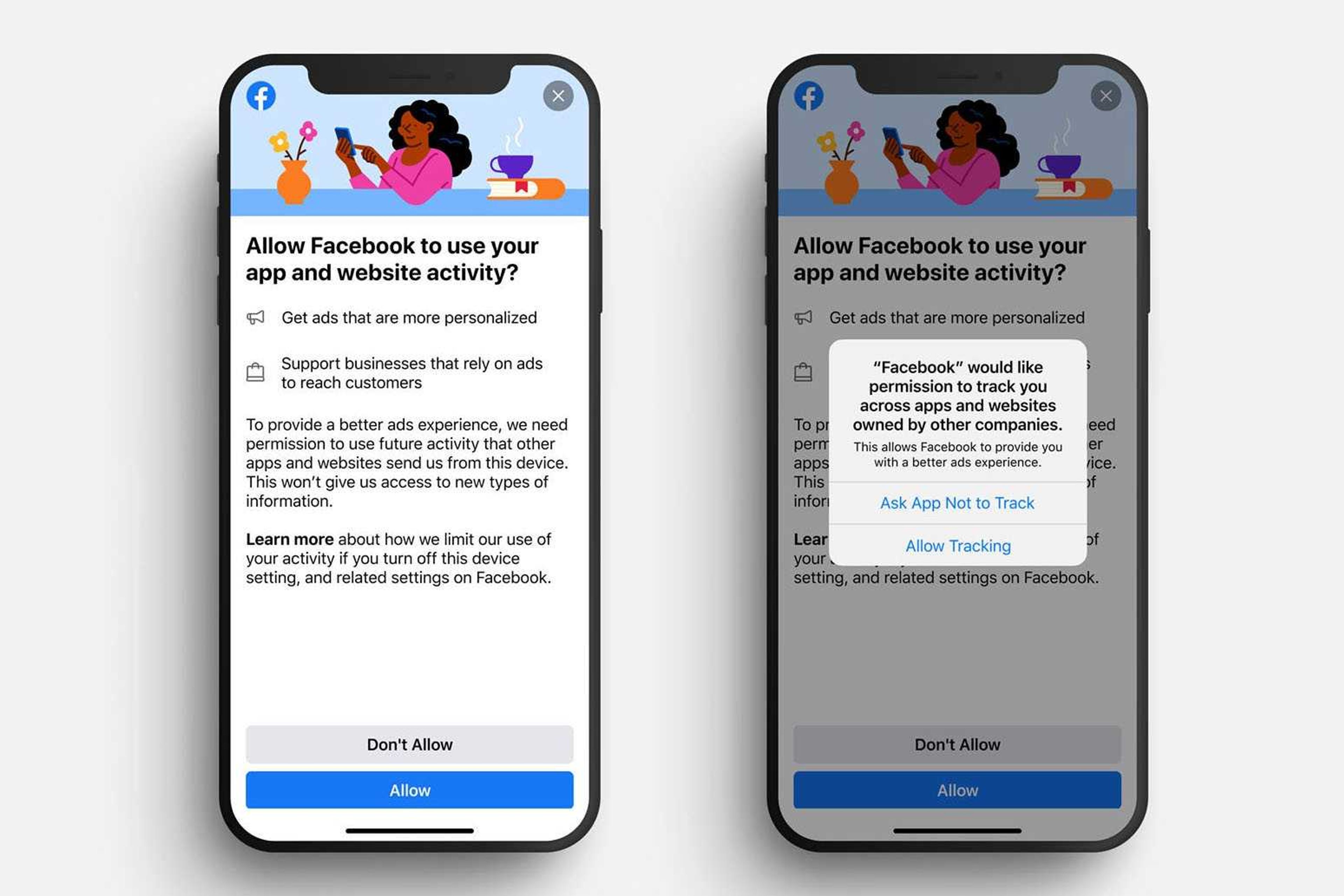
Is this really a problem?
Unfortunately, yes. Research says that around 94% of users in the US are against being tracked by companies.
In the image below, you can see the opt-in rate. It shows the percentage of mobile users who allow app tracking. Generally, it sits between two and six percent.
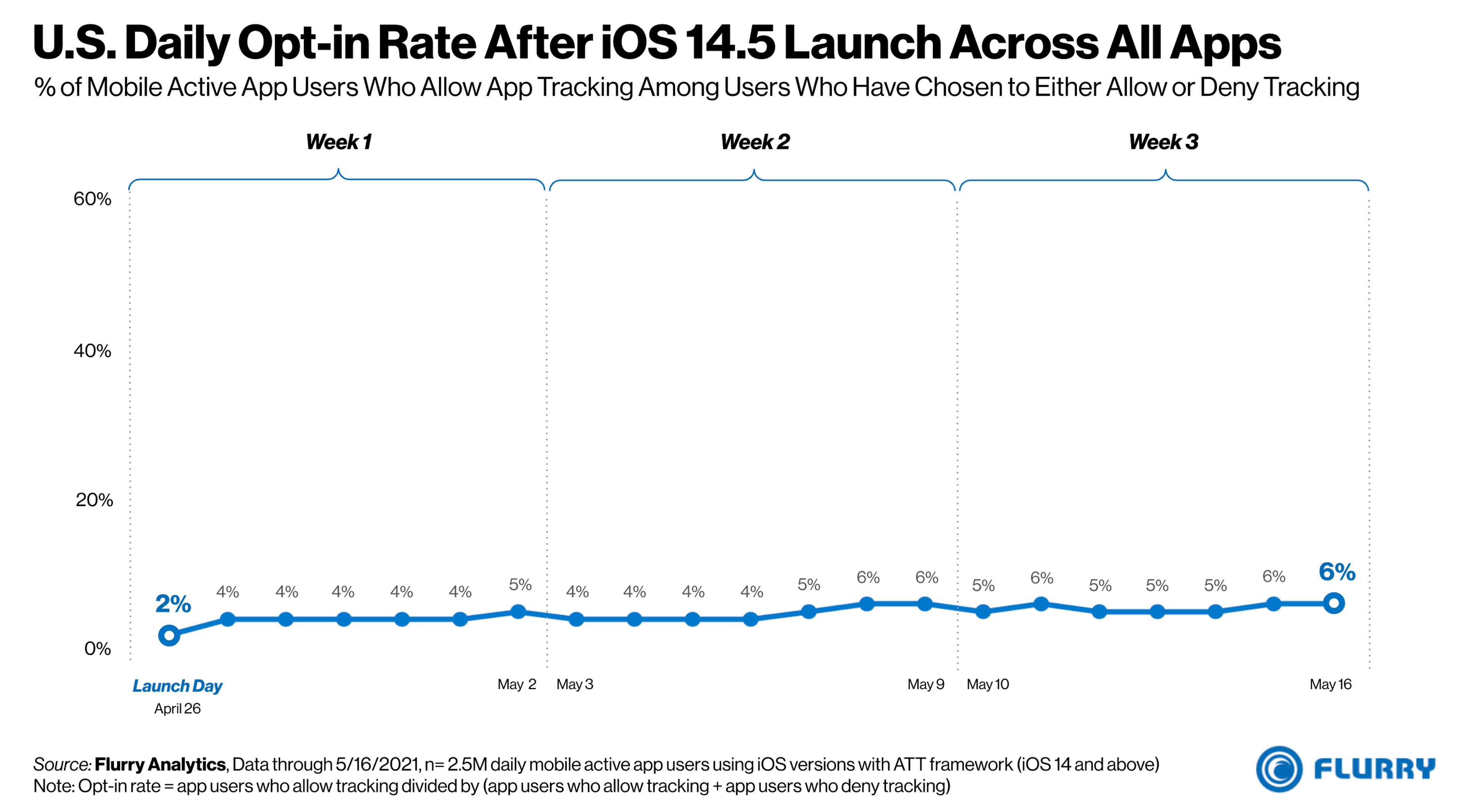
Image source: flurry.com
According to industry research, roughly 50% of US visitors are using an iPhone or iPad.
This means you can’t track and display remarketing ads for approximately half of your website visitors.
Image source: counterpointresearch.com
While we all understand that customers want to protect their data, as a business owner, you feel the negative consequences. Meaning your investment into your ROAS (Return On Ad Spend) increases week by week, as well as your Average Cost Per Visitor. That’s a leak in your revenue stream.
Unless you can get your visitors’ contact information.
Modern remarketing 2.0: building your own direct remarketing channel
You could bypass Facebook altogether and communicate with your prospects on your own. How? By collecting visitors’ contact information (like email or phone number).
Plus, by combining the data in your CRM or email marketing tool, you can give subscribers a more personalized experience. Such as segmented autoresponders, personalized product recommendations, and limited deals.
According to Litmus (2020), every $1 spent on email marketing generates an average return of $45.
Collecting email addresses with traditional popups
There are a number of ways to collect contact information and build your list.
Many Shopify merchants choose to welcome visitors with a popup. It’s a simple and easy way to capture their visitors’ email addresses. They offer a discount or a deal in exchange for their contact info. Then later on—send newsletters and offers to everyone on the email list.
But there’s a more efficient way to do it. Let’s take a look at an alternative that can triple your results.
Watch our webinar recording below or continue reading.
Modern remarketing 3.0: Conversational popups
Conversational popups are an improved interactive tool for collecting contact information.
You can ask your customers about their needs and preferences. Then suggest personalized product recommendations for them to add to their carts.
How do conversational popups work?
Conversational popups follow a more natural flow of communication compared to traditional popups. It’s like having a short conversation between a customer and a shop assistant:
- Start with a relationship-building question.
- Then capture contact and valuable user data based on interest.
- Show personalized recommendations to increase sales.
“It's essential to get to know your customers. What are they looking for? It all starts with asking them. When you effectively meet their needs, your customers will be happy. Conversational popups are the perfect online tool to start a conversation with your potential buyers and tailor your offer!"
Csaba Zajdo – CMO and Founder at OptiMonk
Why should you use conversational popups?
Conversational popups are much more effective than general popups at capturing contact information. There are 2 key goals here:
- Start your conversation with a question–this way you can boost your customer’s commitment.
- Recommend the right personalized products based on their answers. This encourages them to complete their purchase.
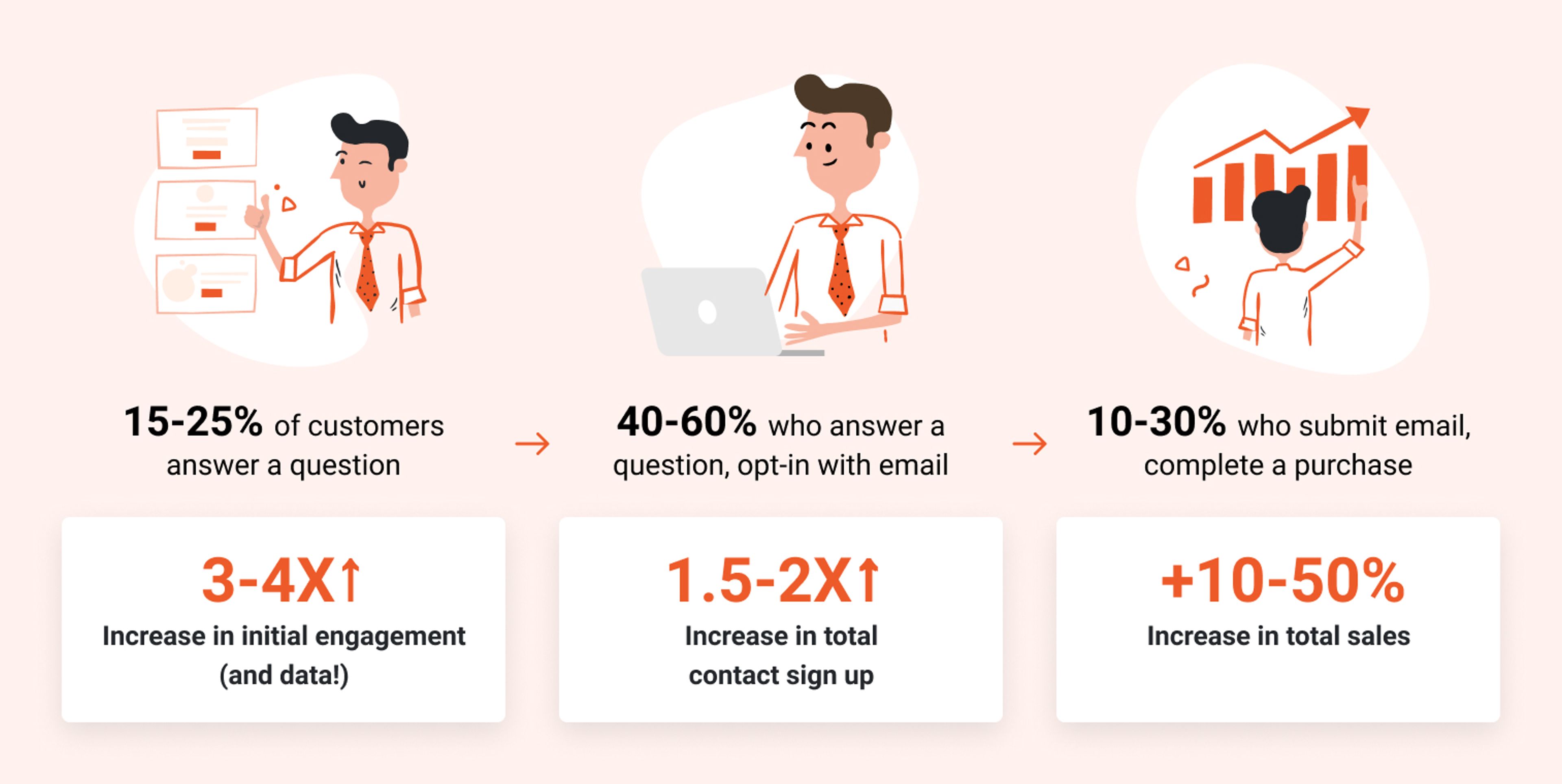
The illustration below shows that conversational popups have 3-4 times more engagement than average popups. Not to mention that they can increase your total sales by 10-50%.
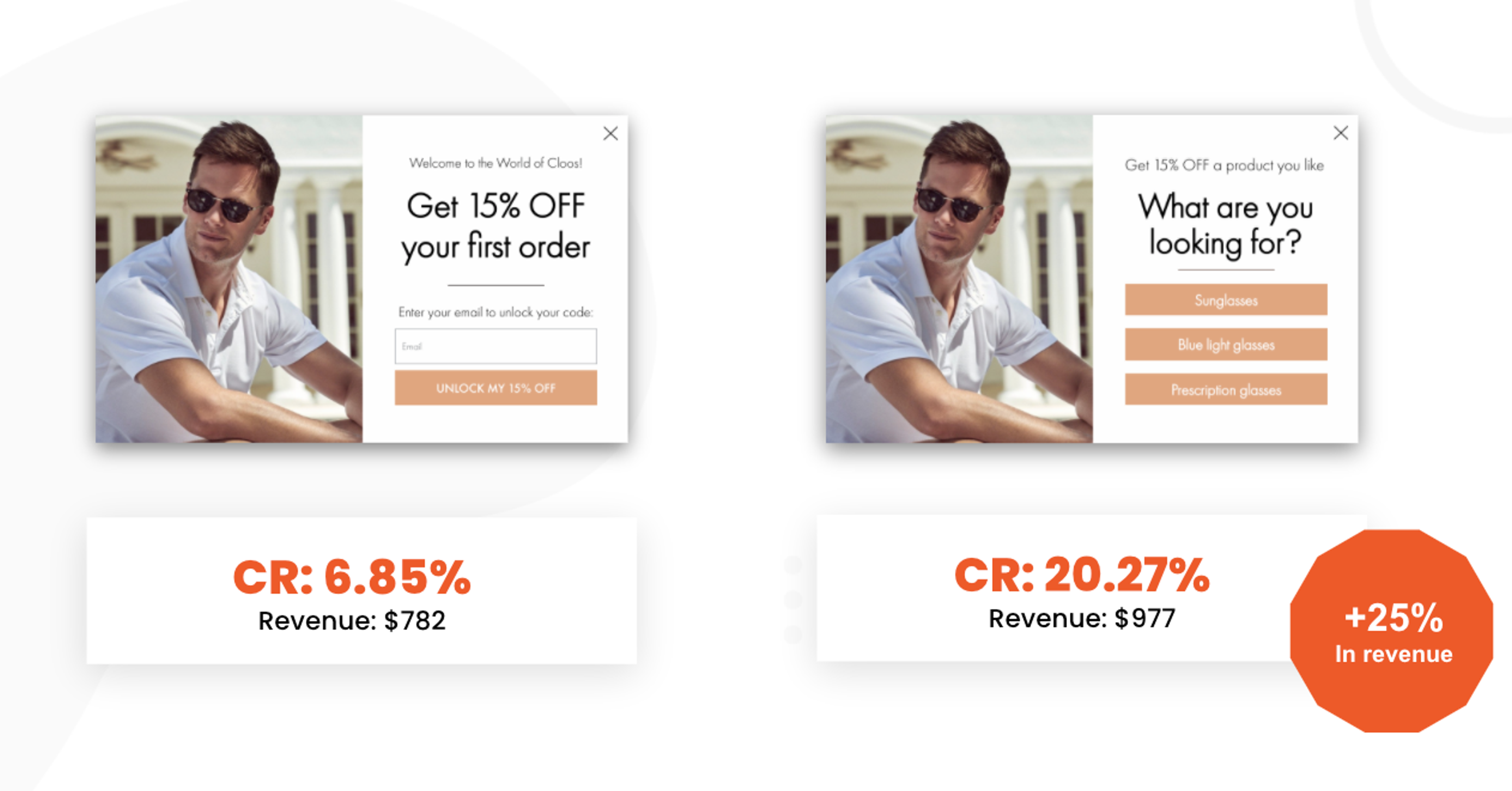
Check out one of the experiments we recently did for Christopher-cloos.com. We A/B tested a simple welcome popup vs. a conversational popup, and we were able to increase their revenue by 25%.
Now that you have all the data you wanted to hear, let's see some real-life examples for conversational popups.
4 great conversational popup examples
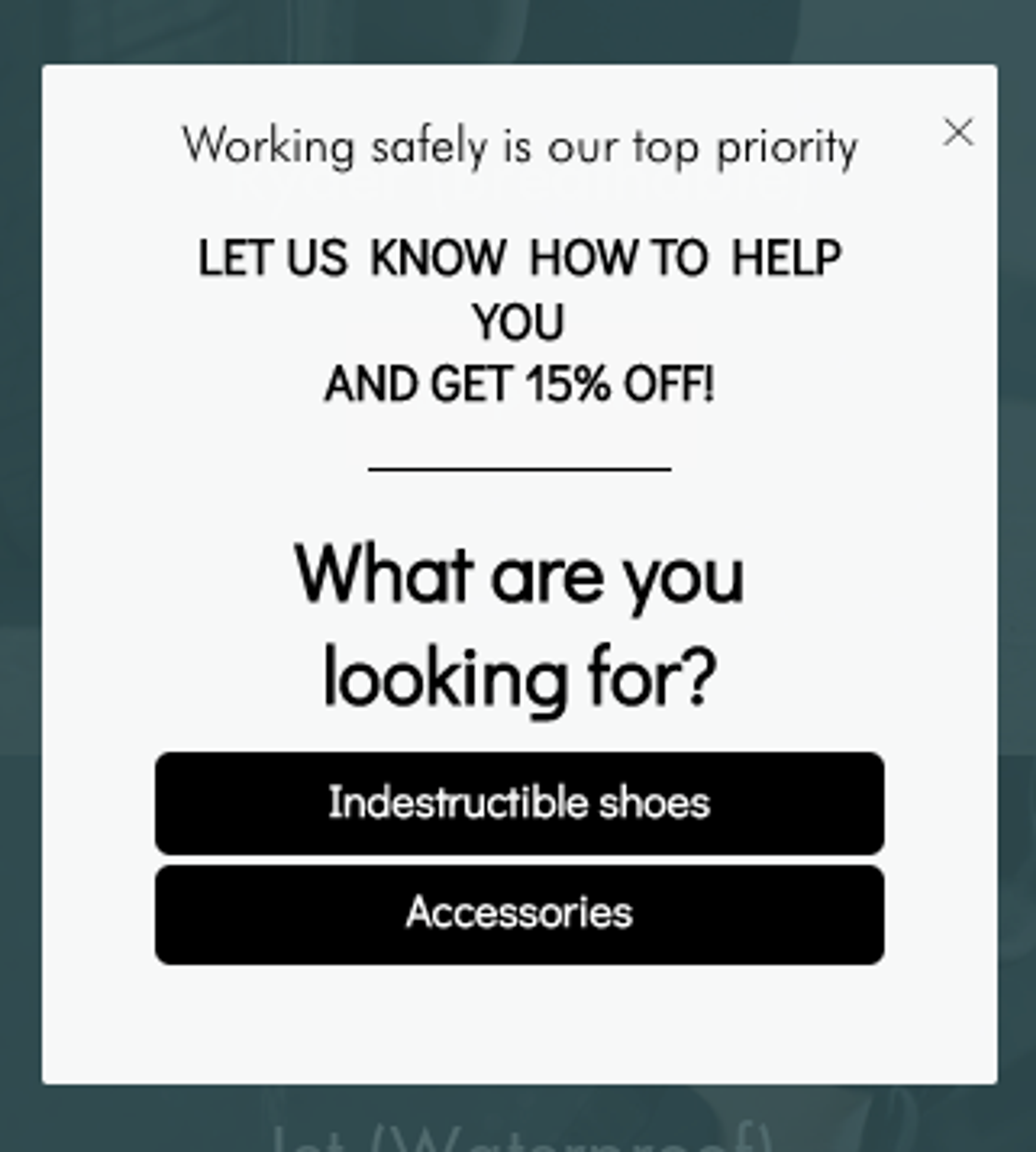
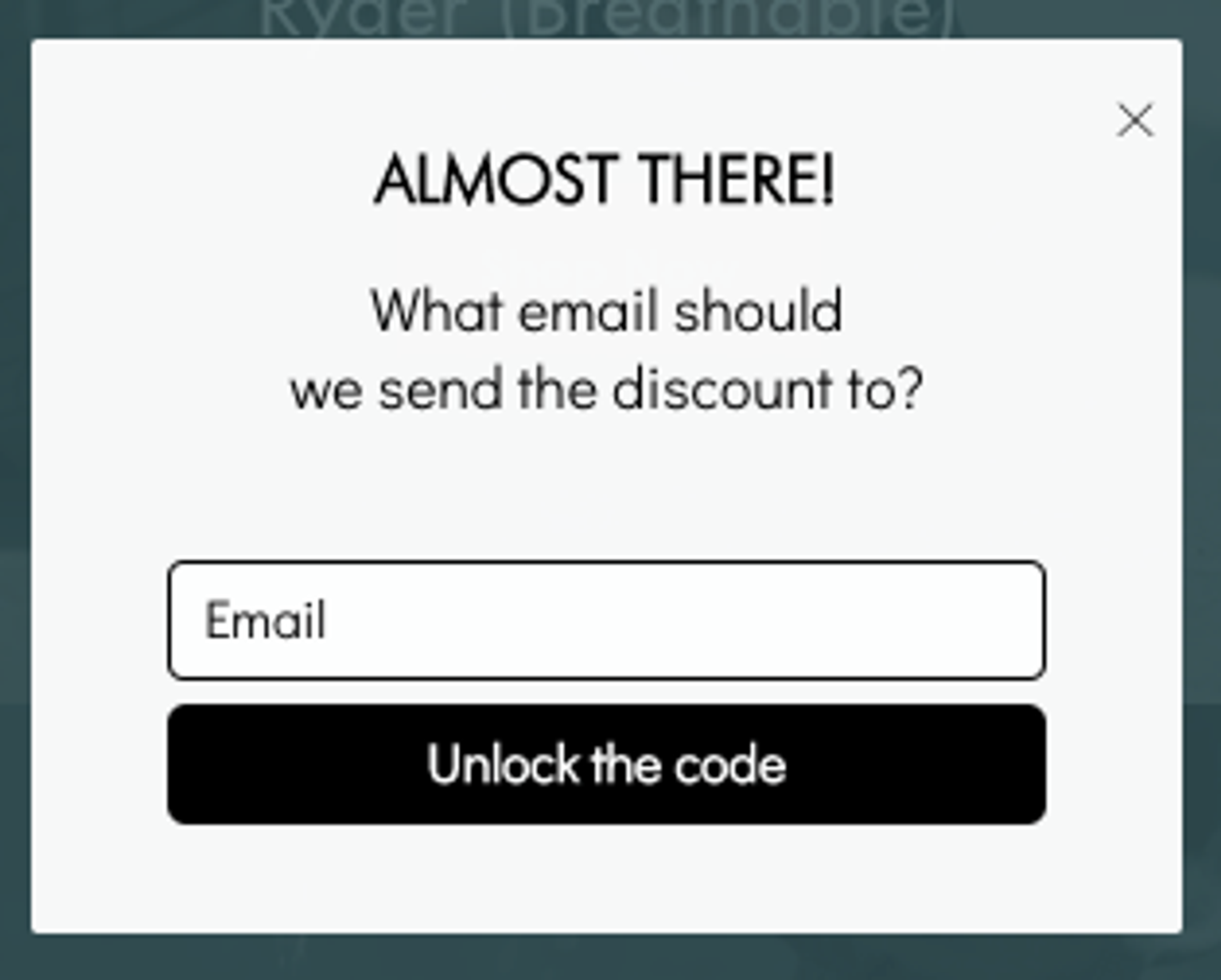
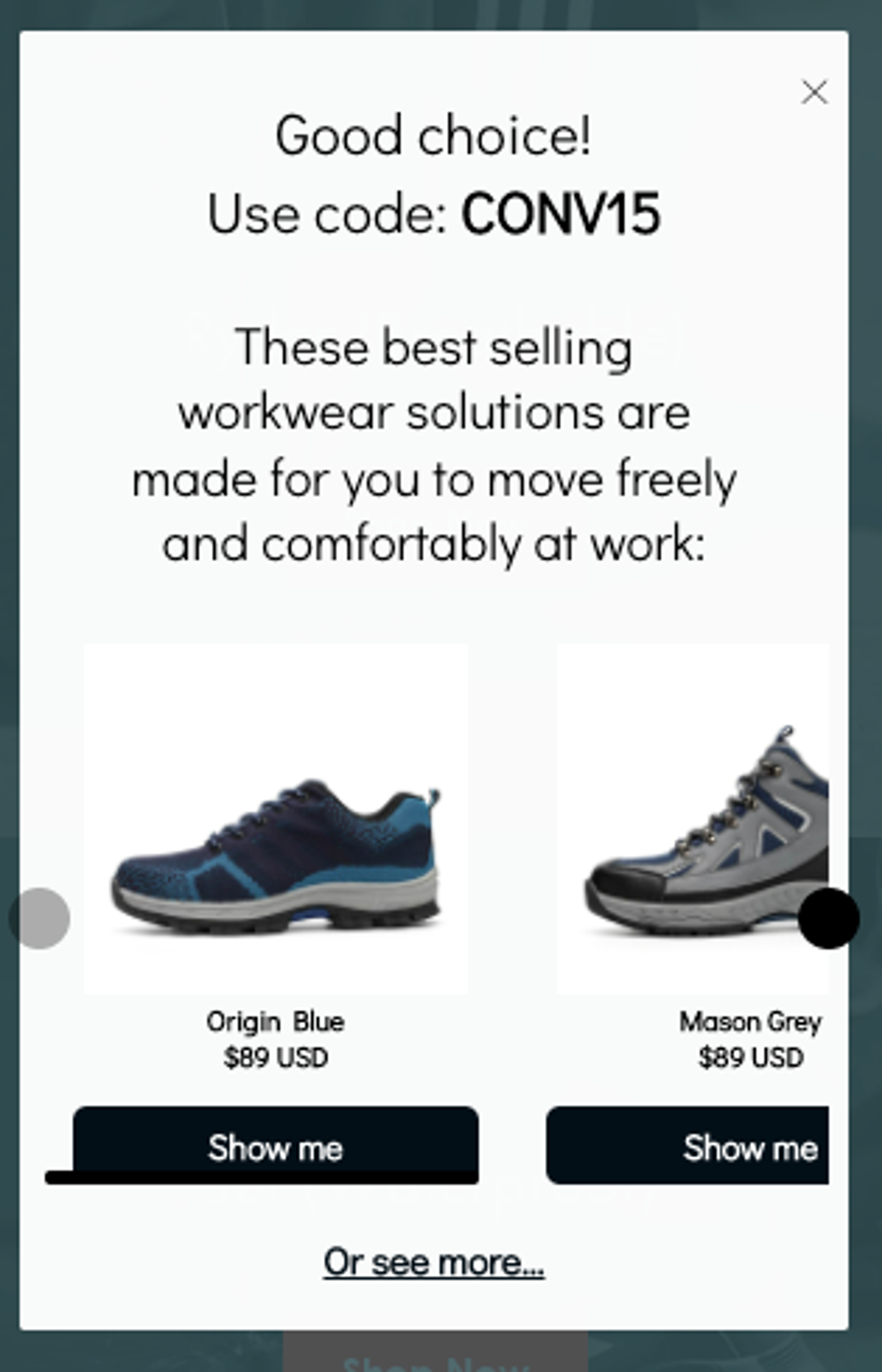
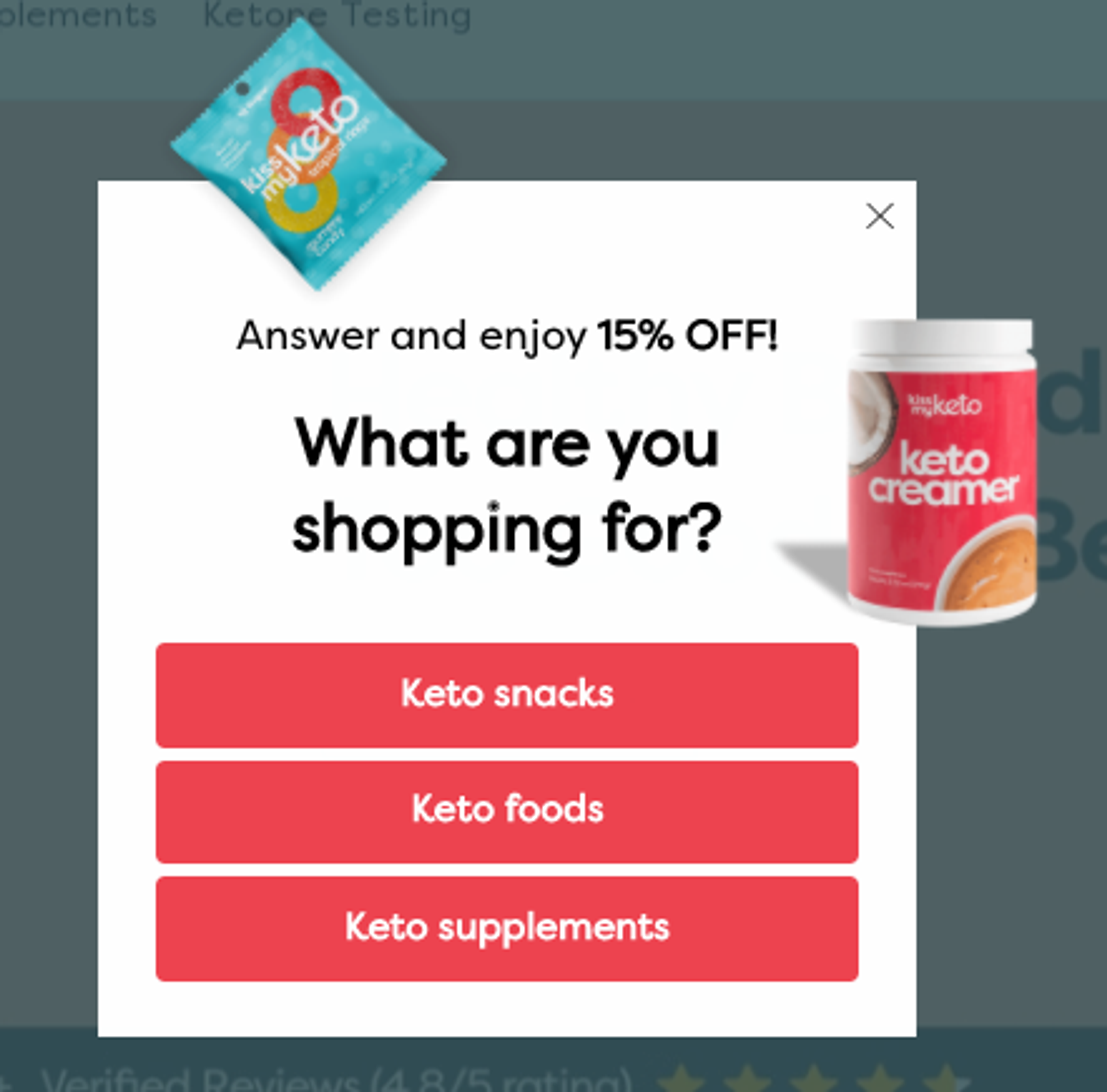
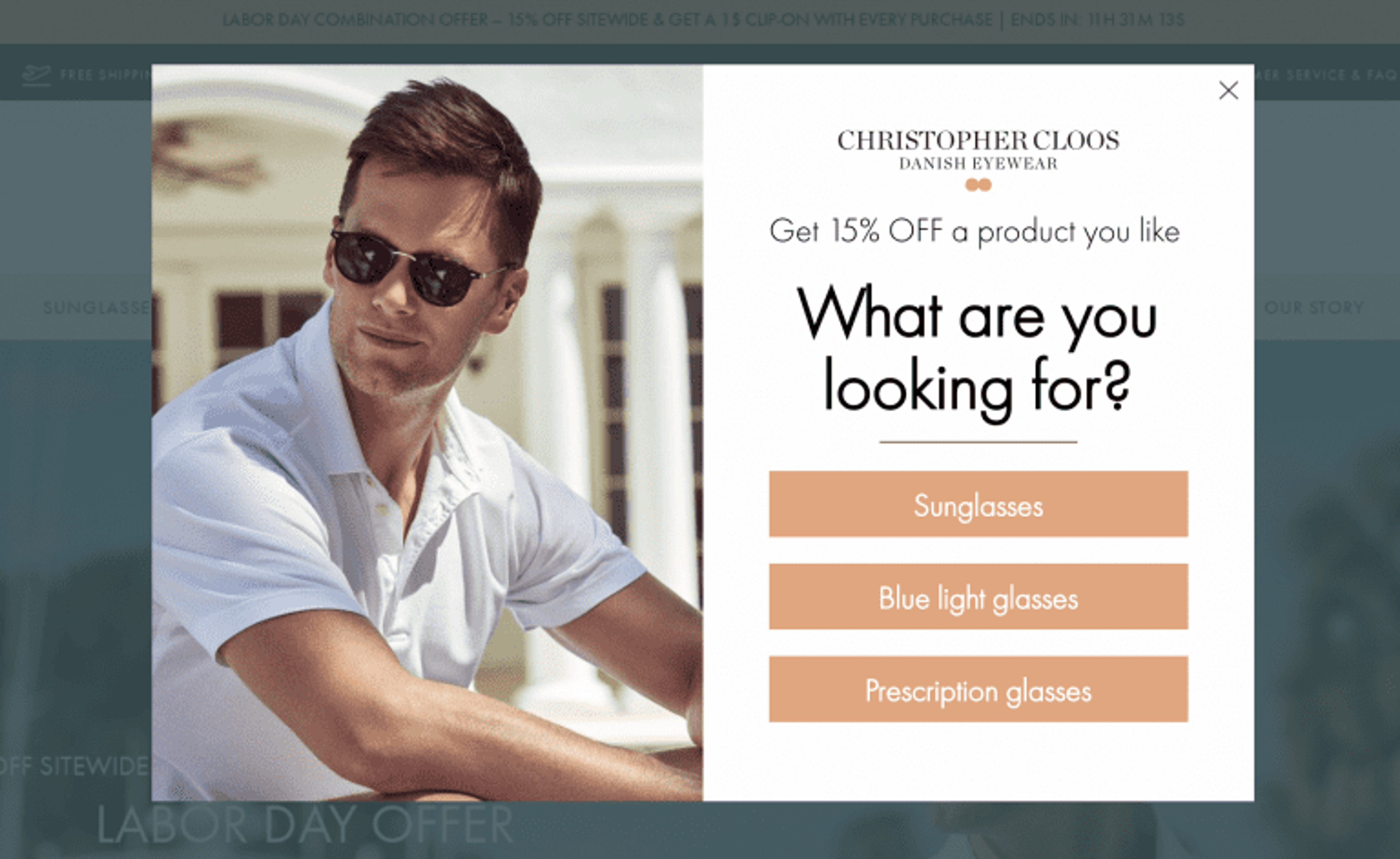
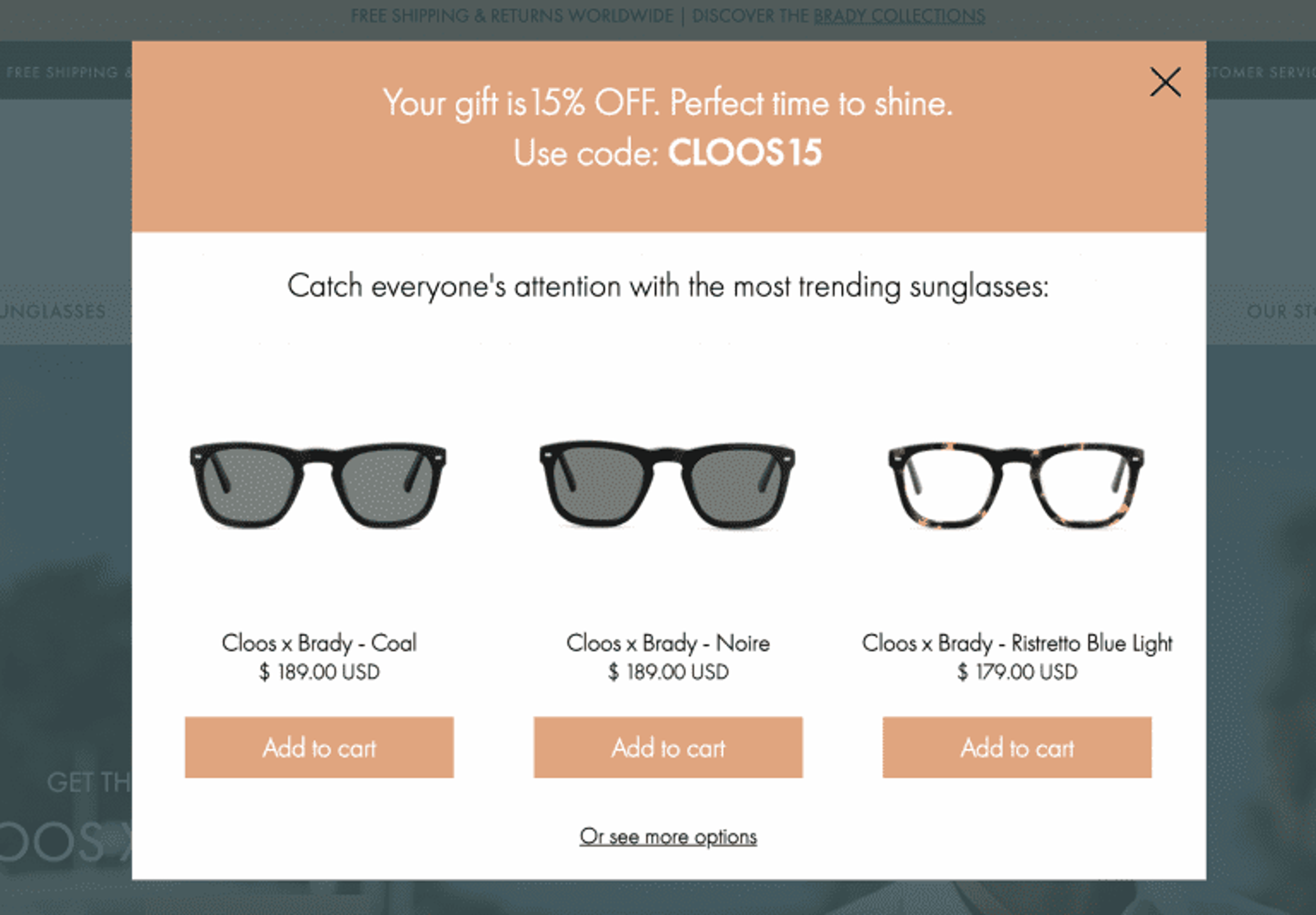
Ask a simple segmenting question on the first page of your conversational popup. Connect it to the product categories that you sell. On the second page, you’ll ask for their email address. Then, you’ll display personalized product recommendations based on their answers.
See below how Indestructibleshoes.com does it:
This strategy works just as well for food supplements:
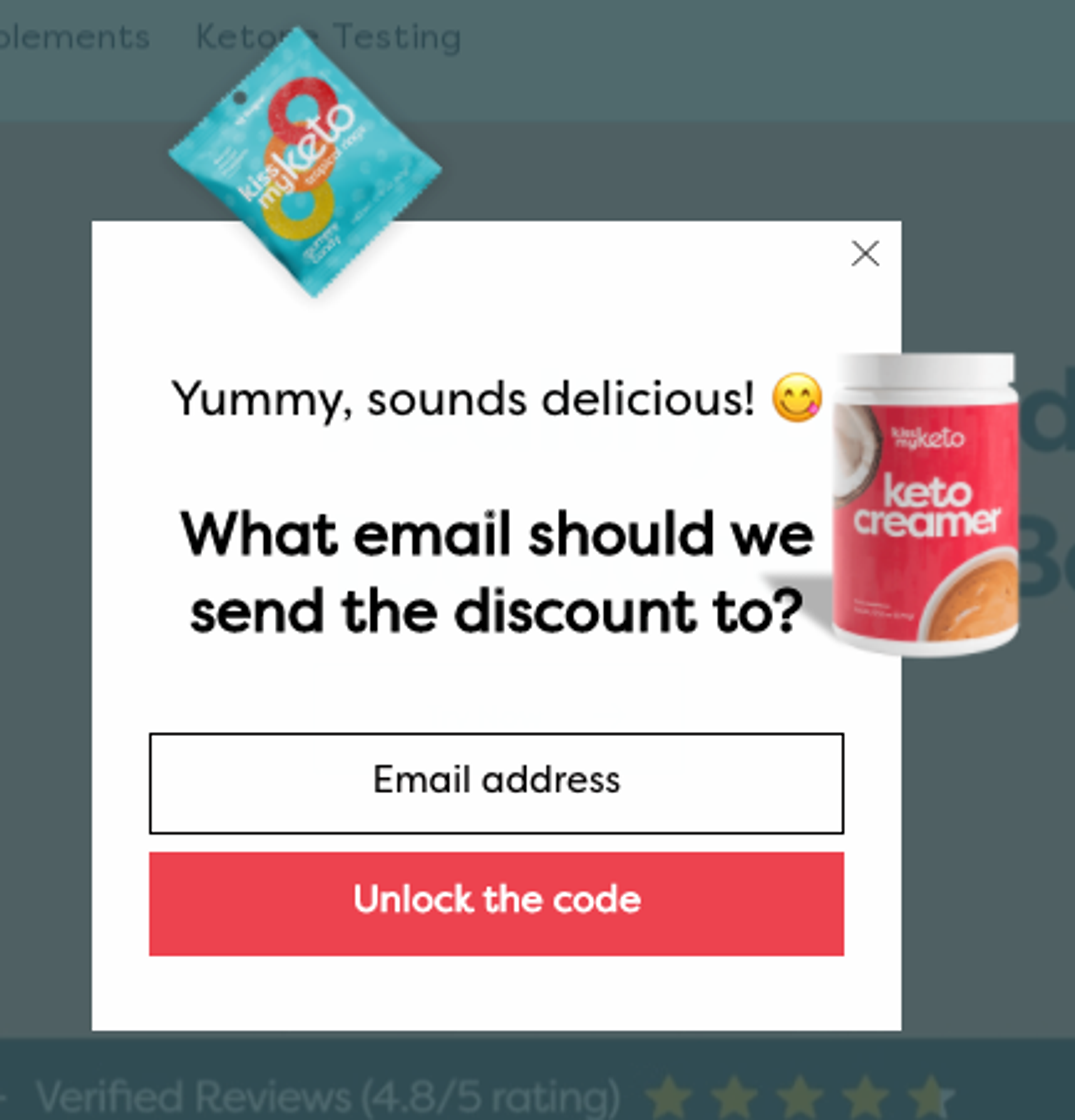
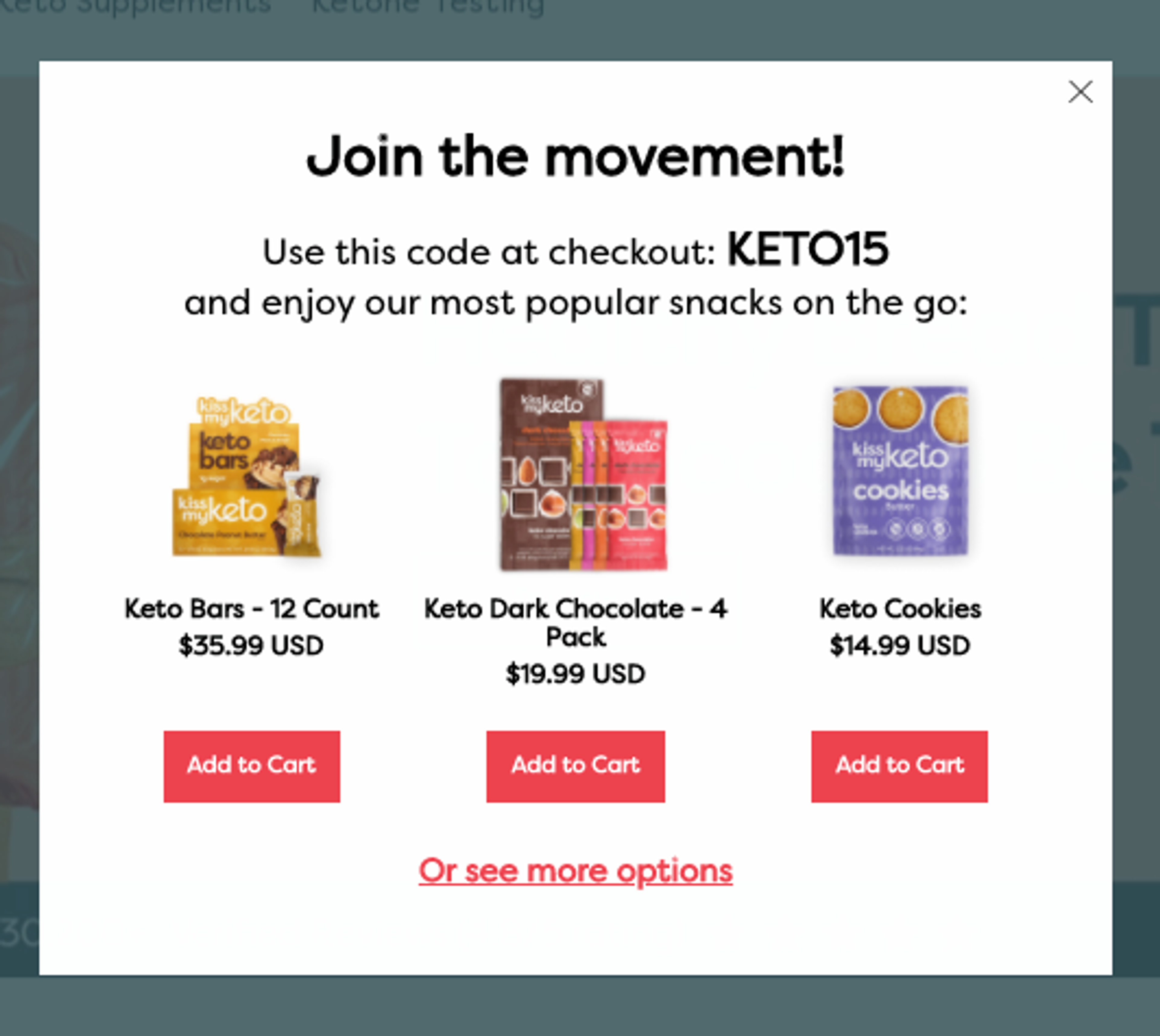
Or for a pair of glasses:
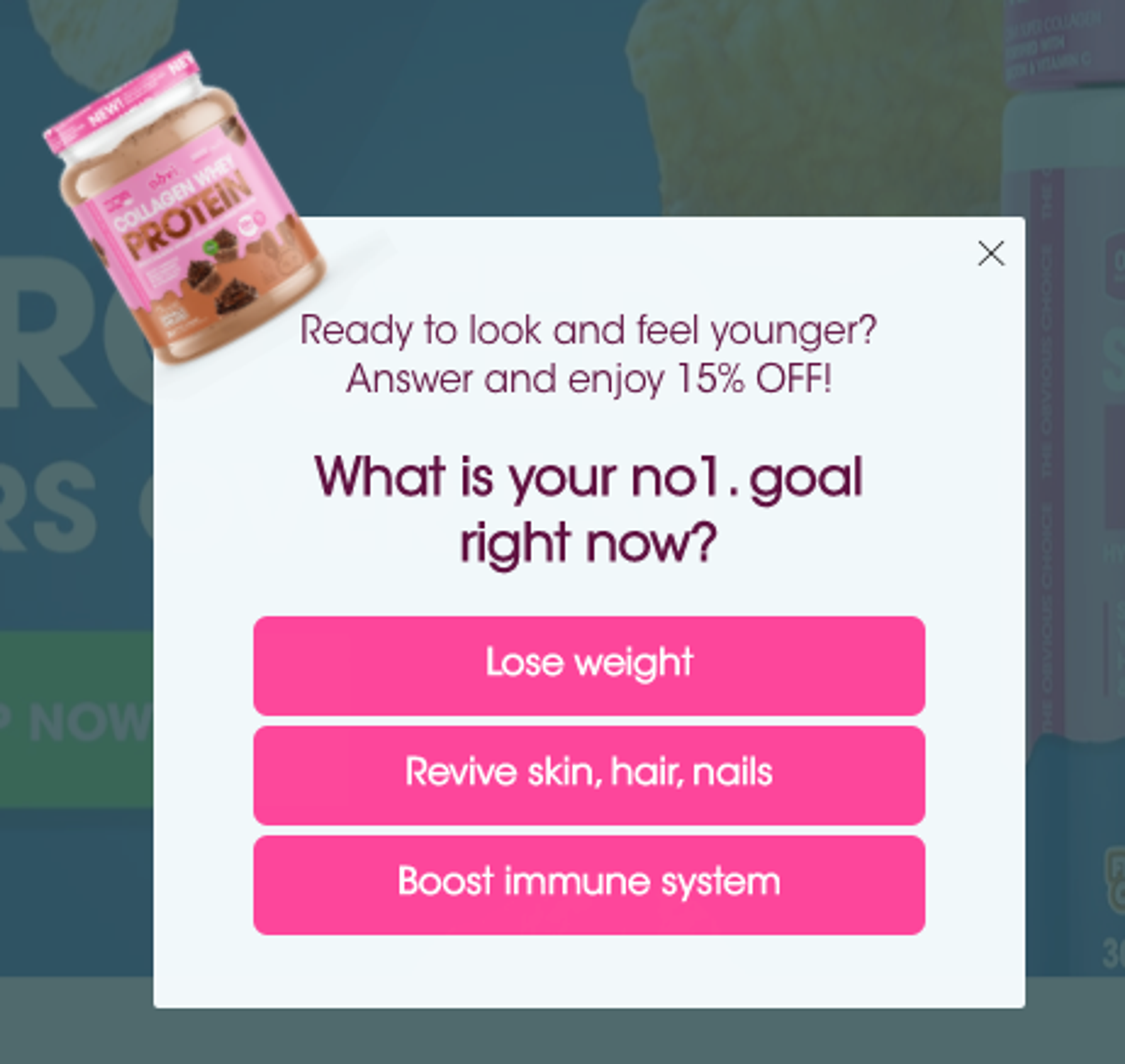
Alternatively, you can ask your potential buyers about their goals or problems just like in the example below. This is an effective way to grab their attention if they’re not familiar with what you offer.


How to set up conversational popups (with free templates)
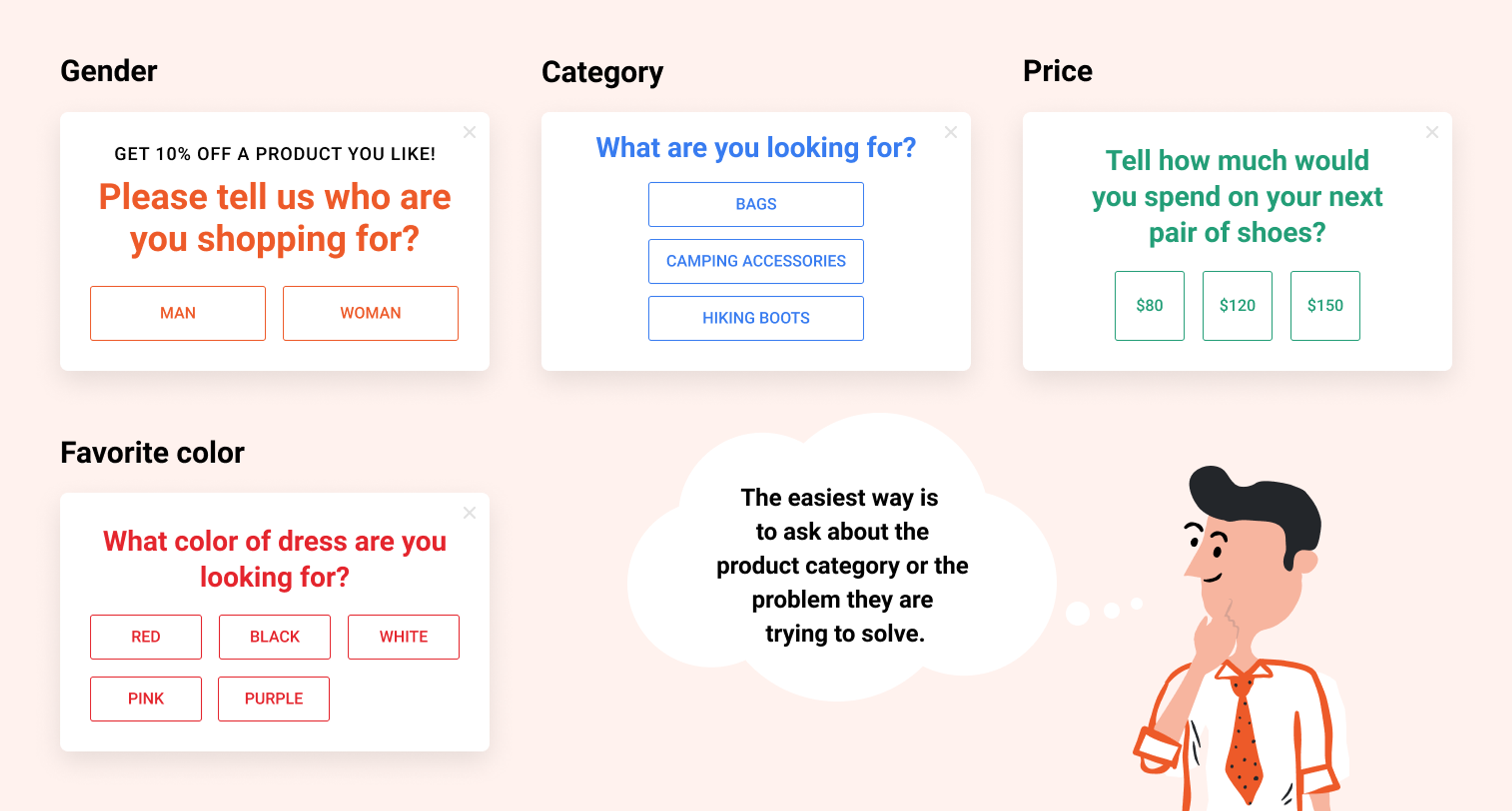
Step 1: Decide on what question to ask
It helps to build a relationship with your customers and increase user engagement. And you can use your customers’ answers to generate more personalized recommendations.
Not sure about the question? Think about how you can categorize your products or the problems your customers are trying to solve.
Step 2: Select an OptiMonk template
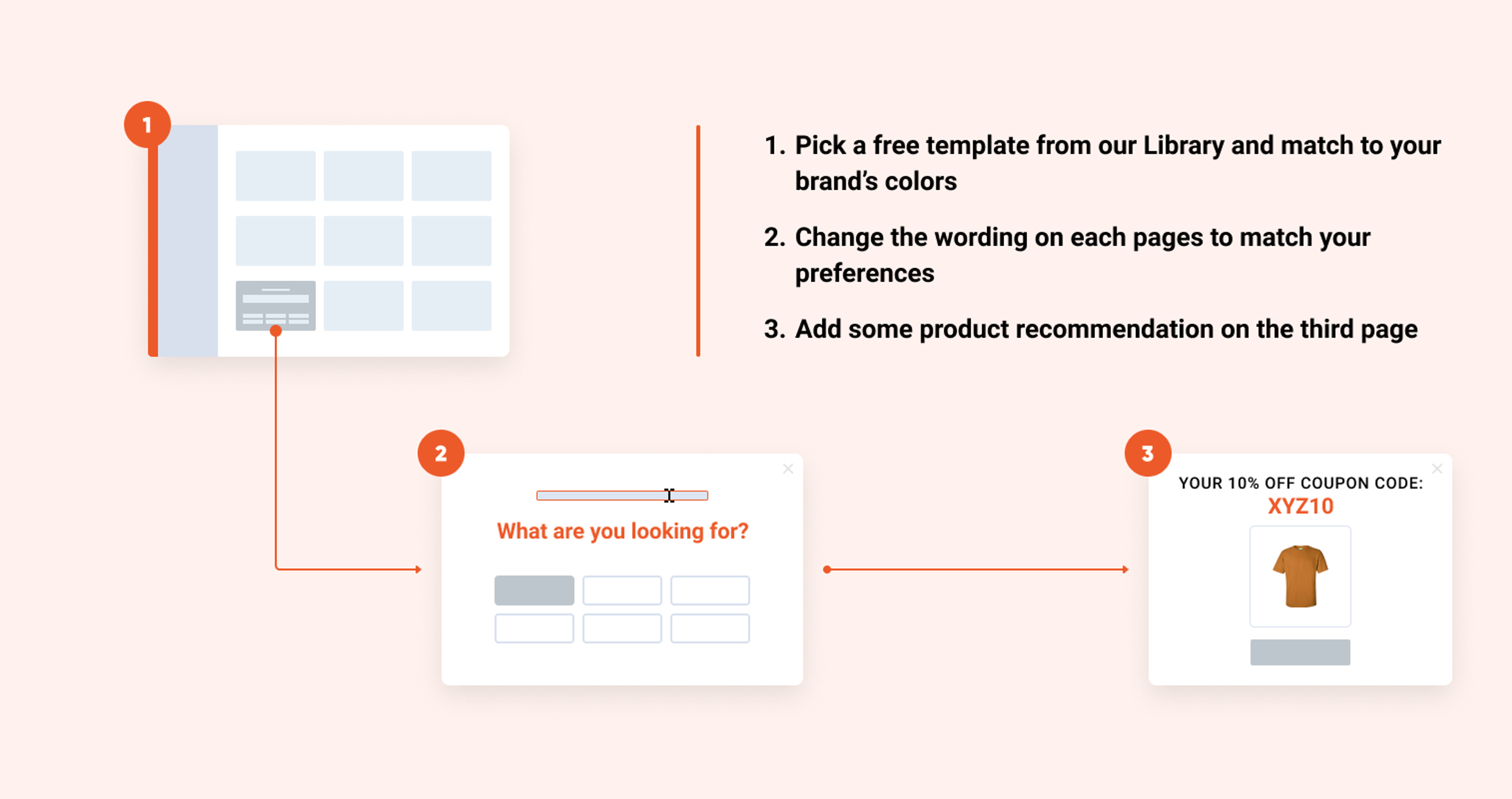
Once you choose an effective question for your potential buyers, it’s time to build your first conversational popup. Here’s a step-by-step guide:
- Pick a free template from our Template Library by clicking here, or you can just scroll through our templates below. Once you have the perfect template, match it to your brand’s colors.
- Change the wording on each page according to your needs.
- Add some product recommendations on the third page.
Step 3: Set up product recommendations based on answers
You need to duplicate the second and the third page of the popup–depending on the number of possible answers you provide on the first page.
For example: if you are offering 3 questions, then create 3 copies of the second and the third page. See the illustration below.
On the third page, you can manually select the products you want to offer based on the answer your visitor chose on the first page.
Your personalized recommendations will resonate with your customers’ preferences. They’ll be more likely to use their coupon and complete their purchase.
Step-by-step guide: How to edit your conversational popup with OptiMonk
You chose the perfect template for your business and now you’re in the Drag & Drop editor.
It’s time to edit your popup.
Click on the text element and add your segmenting question. For example: What are you looking for?
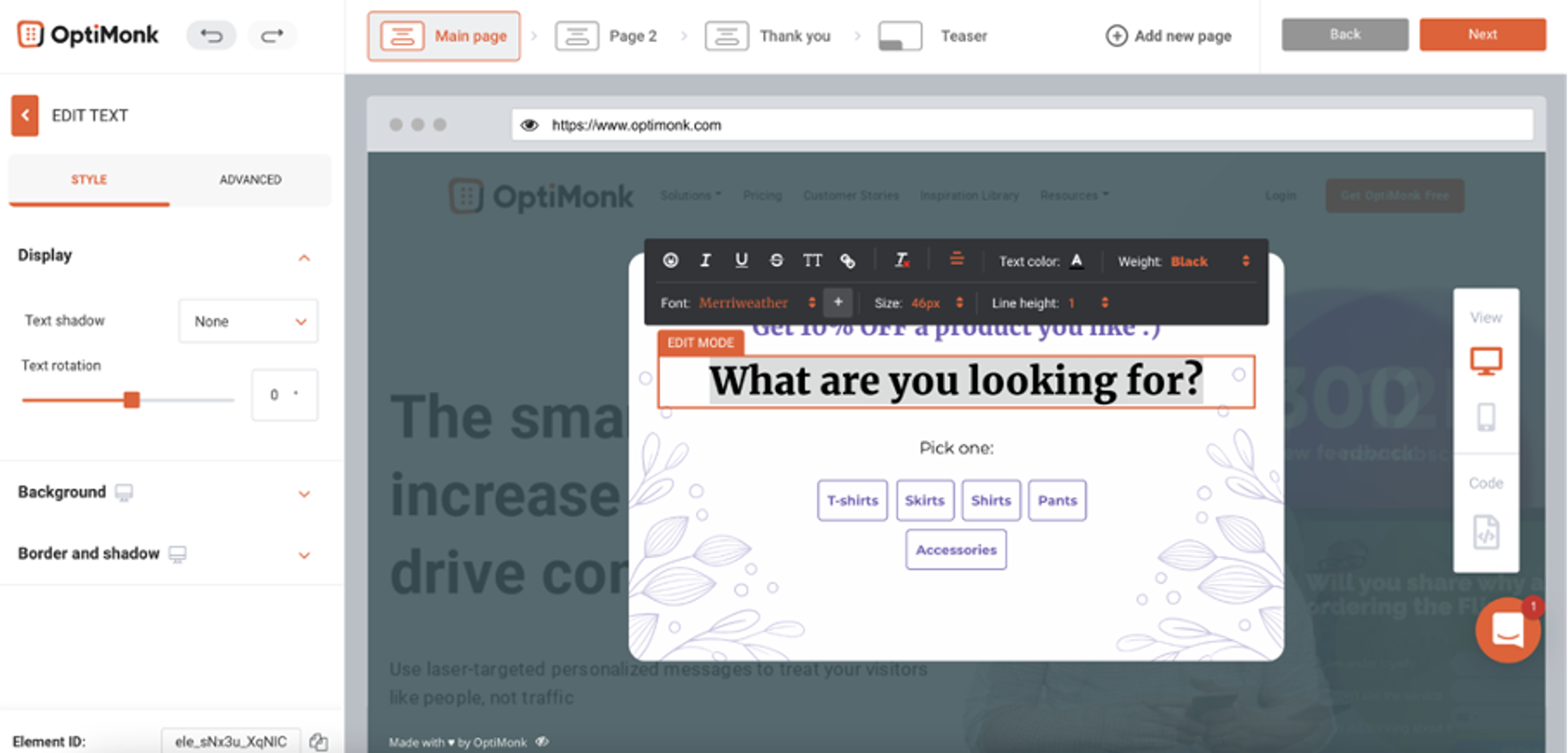
Tip: Spice it up with an offer such as: Answer and enjoy 15% OFF.
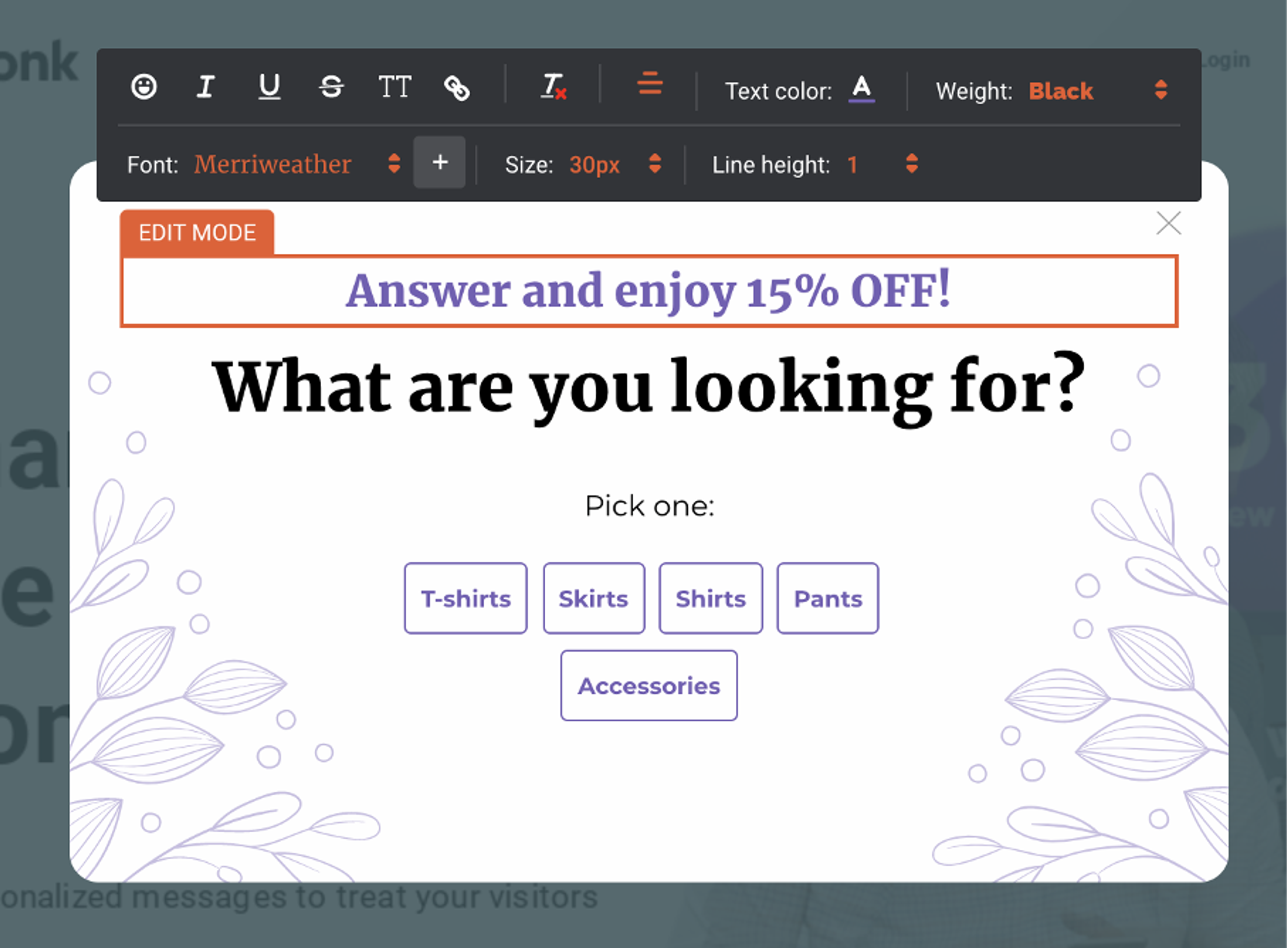
Now click on the survey element to edit the input fields.
On the left side, under “Options” provide the possible answers to your question.
Once you’re done, click on Page 2. This is where we’ll collect their email addresses.
You can customize the copy and design to match your site if you want to, but it’s not necessary.
Duplicate this page as many times as many answers you provided on the previous page.
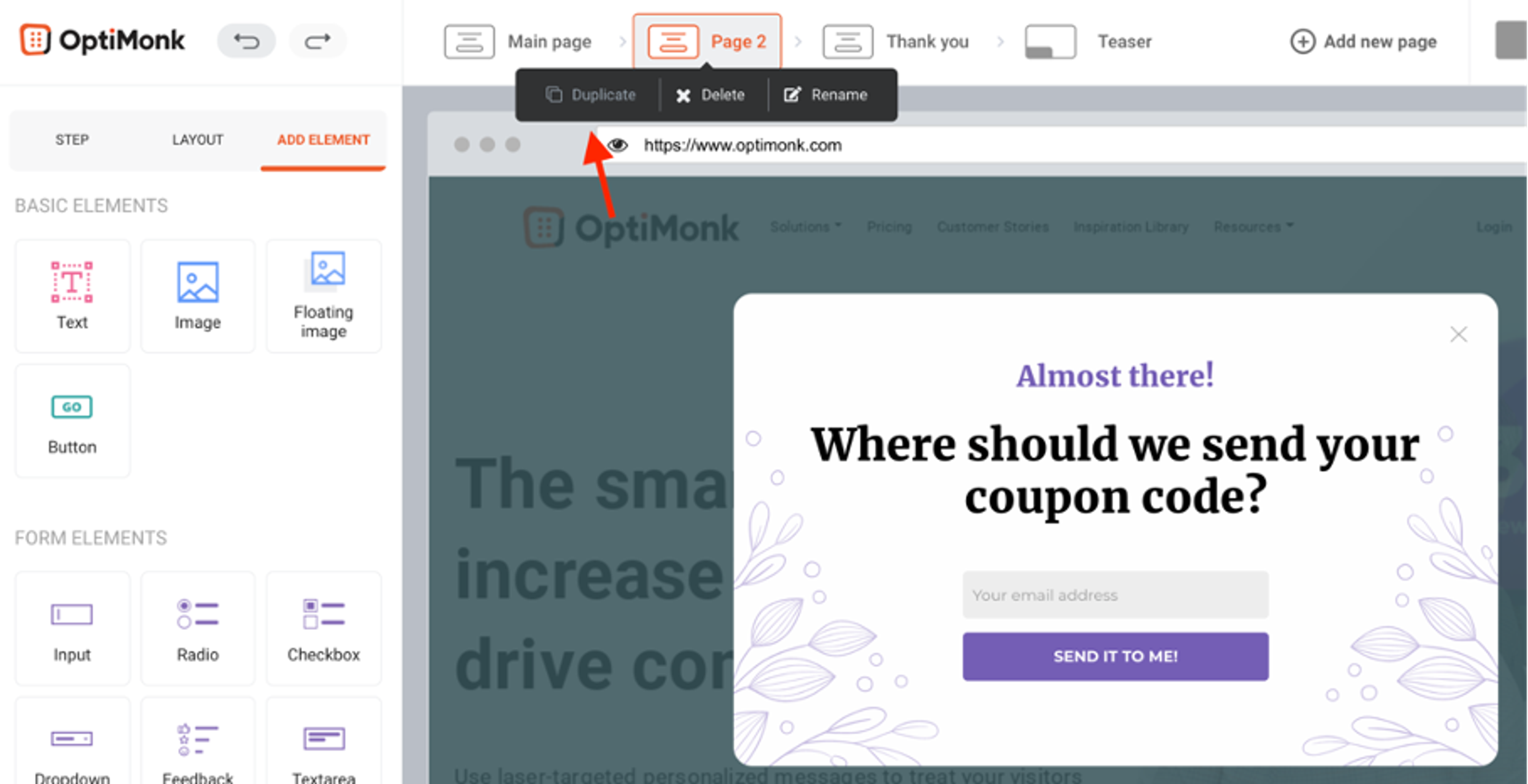
When all the duplicates are ready, go back to the “Main page” (first page of your popup) and click on the “answers” element:
- Choose “Custom step” as an “On click” action (see on the image below).
- Turn off the “Same page for all options” toggle bar.
- Then choose the right page for each answer.
Now go to the Thank you page and set up the coupon code and the personalized product recommendations based on the visitor's answers.
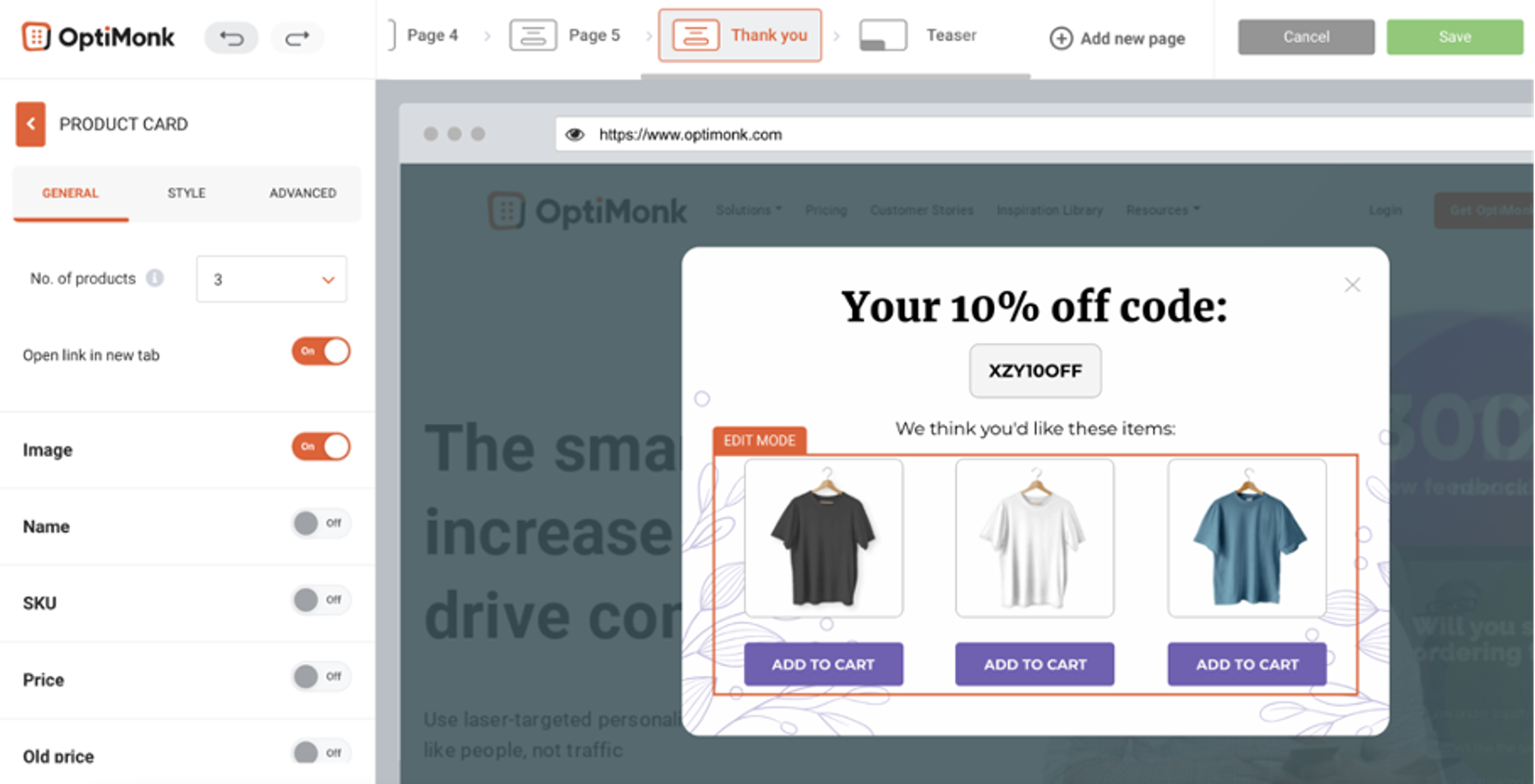
Again, you need to create duplicates. After that, you need to connect these steps with the email subscription pages.
For this, go back to the previous pages (with the email fields) and click on the button.
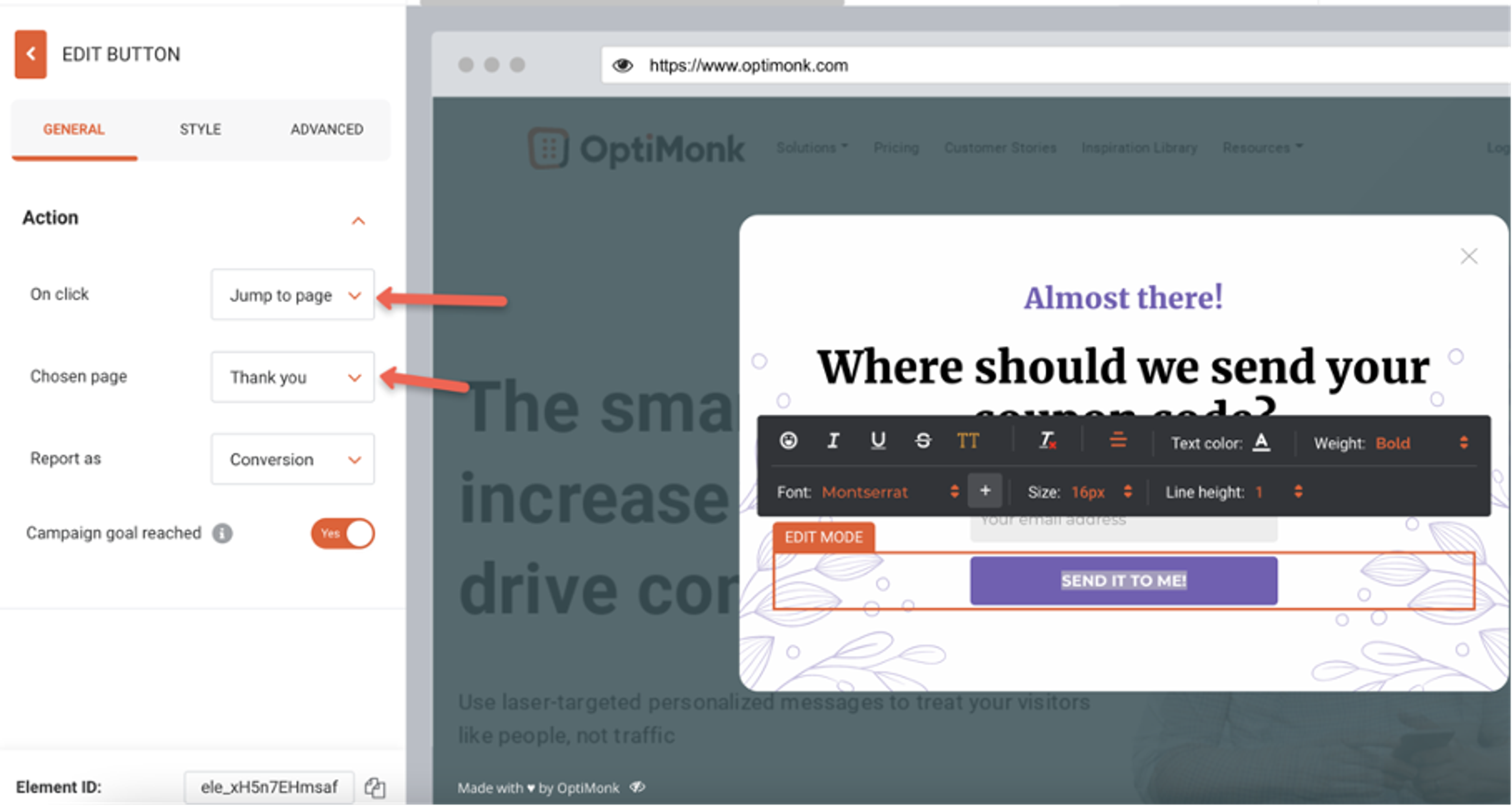
Set the “On click” action to “jump to a page” and for the “Chosen page”, set the right recommendation page according to the answer (shown on the image above).
Bonus tips: Use this data to personalize your email, SMS, and ads
Most users don’t like unrelated, general promotional messages, right? Therefore, these messages don’t usually work. And even if they do, they can annoy your visitors.
Now, this is where you'll see another big benefit of using conversational popups.
You'll get valuable information that you can use to personalize your visitors' experience in the future.
Wondering how to use this data? We collected some personalization tips for you:
- You can create segments based on visitors' answers and follow up with a personalized email. You can also build a tailored autoresponder series according to their preferences.
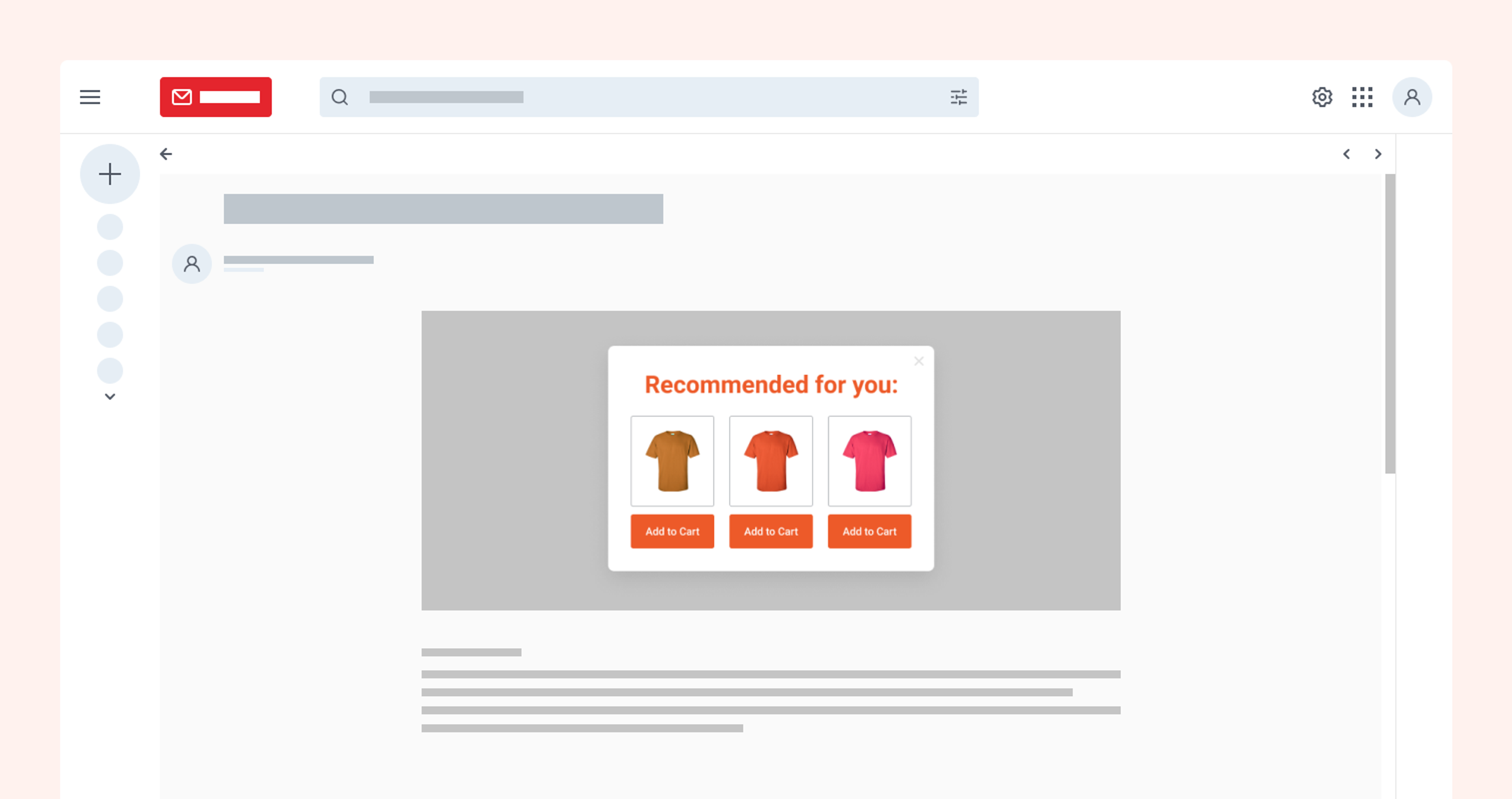
- If your main focus is SMS marketing, don't worry. You can ask for a phone number instead of their email address. Then retarget users with an SMS campaign the same way we suggested with emails.
- Use this information to target cold audiences more effectively. You can create custom audiences in Facebook Ads or Google Ads based on the email addresses and answers you’ve collected. You may lose the option to target these users directly on Facebook (not via Google Ads), but you can create custom and lookalike audiences using your new email lists.
Now it's your turn. Collect and own your data with these brand new conversational popups and boost your opt-ins and revenue.

“Conversational popups used to be a nice-to-have, now with the IOS14.5 at our doorstep, I strongly believe they're a must-have"
Lucian Coman – Growth Marketing Manager from Gorgias
Related articles


Written by

What should you do next?
Thanks for reading till the end. Here's how we can help you grow your business:
Get tailored website optimization ideas in 2 minutes.
Add your URL and get instant ideas. No email required.
Create a free OptiMonk account
Create a free OptiMonk account and easily get started with popups and conversion rate optimization.
Get OptiMonk free