50 CTA Button Examples for Online Stores and Popups
50 CTA button texts for online stores and popups, grouped by the shopper's moment, plus what makes a button worth clicking.
How exit-intent popups work on desktop and mobile, what to offer, 12 exit popup ideas from the Popup Library and how to create one in 5 steps, on Shopify too.
In short
An exit-intent popup shows a last offer when a shopper is about to leave, so you win back visitors you'd otherwise lose. Choose a single offer that fits the visitor, show it on desktop and mobile only to the people it's for, keep closing easy, and A/B test it.
A shopper adds a pair of sneakers to the cart, hesitates over the shipping cost and moves the cursor toward the close button. That's the last moment you can still say something, and an exit-intent popup is how you say it.
An exit-intent popup is a popup that appears when a visitor is about to leave your store. On desktop it fires when the cursor moves toward the tabs, address bar or close button. On mobile it reacts to a tab switch, a quick scroll back to the top, or the Back button. It gives shoppers one last reason to stay, like a discount or a cart reminder.
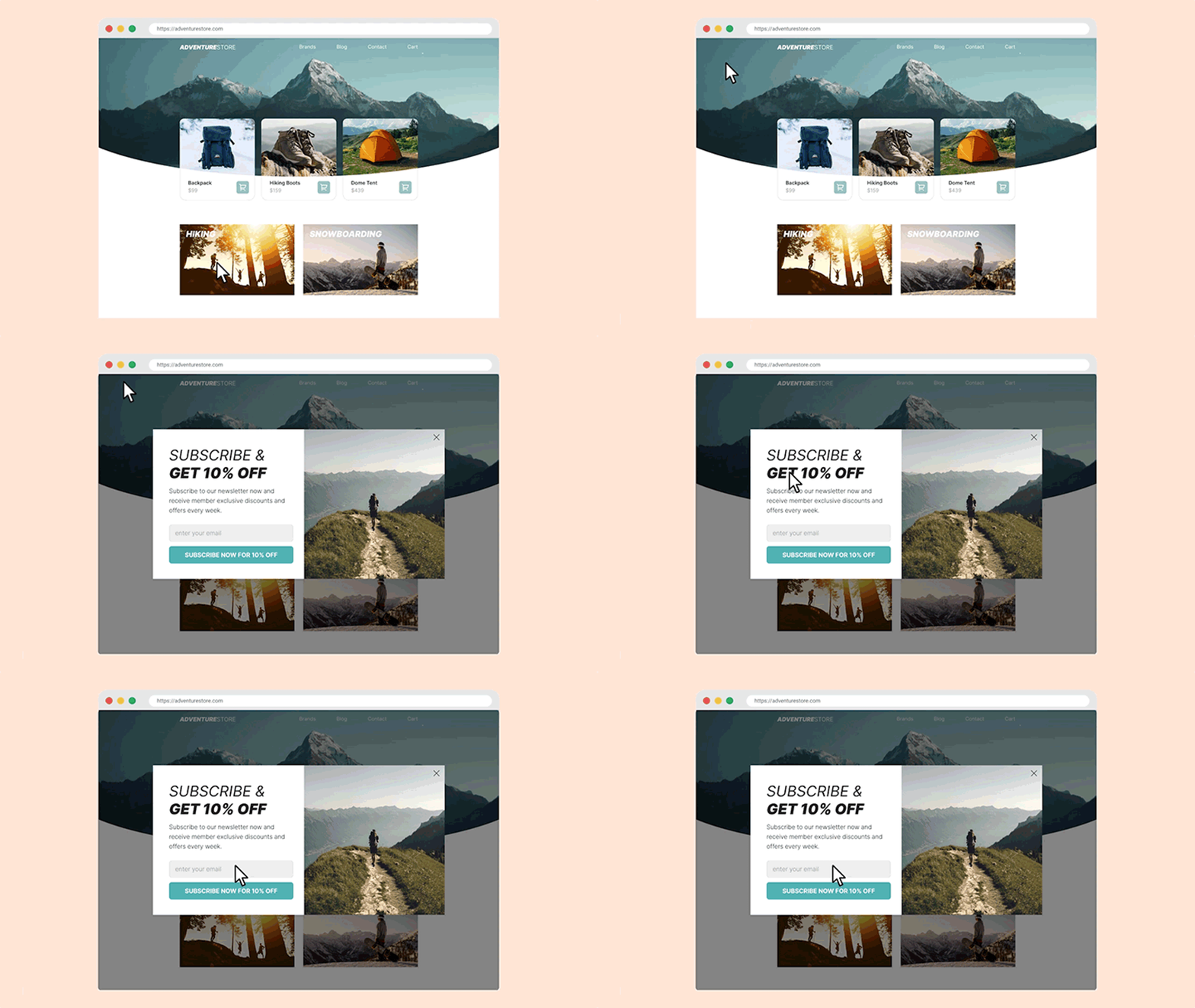
To create an exit-intent popup, choose one clear offer, build the popup, and set it to appear when a visitor is about to leave: on desktop when the cursor moves toward the browser bar, on mobile when they press back or switch tabs. Show it only to visitors who haven't subscribed or bought yet.
The full walkthrough with screenshots is in the step-by-step guide further down.
Exit intent watches for the moment a visitor is on the way out, then shows the popup once. It never interrupts someone who is still browsing. The signals differ by device, because phones have no cursor.
| Device | What OptiMonk watches | Tip |
|---|---|---|
| Desktop | The top 10 pixels of the browser window. When the cursor moves up into that strip, toward the tabs, the address bar or the close button, the popup appears. | Works best on pages where people read or compare, such as product and cart pages. |
| Mobile | A tab switch, a quick scroll to the top of the page, or the Back button on the page the visitor landed on (after they have interacted with your site). | The signals are rougher than a cursor, so test the popup on a real phone before you publish. |
You can switch exit intent on for desktop, mobile or both. Some mobile browsers don't support every signal; where one is missing, that action simply doesn't fire the popup. The technical details are on the exit intent feature page, and every other trigger that runs on phones is listed under mobile triggers.
One campaign can hold up to 8 triggers and fires when any one of them does. So you can keep exit intent on mobile and use, say, a time delay on desktop in the same campaign. To decide which trigger suits which visitor, see when to show a popup.
New to popups in general? Start with what a popup window is and the main types, then come back here for the exit intent popup.
Yes, when the offer fits the visitor. An exit-intent popup only reaches people who were leaving anyway, so every signup or order it brings is one you would otherwise have lost.
How much it adds depends on the offer and who sees it.
One example with a published result: Kiss My Keto showed shoppers who were leaving with items in their cart a final 15% off, with a countdown timer. That popup converted at 15.05%, and together with their other campaigns the store cut cart abandonment by 20%. Read the full Kiss My Keto case study.
Pick the offer from the goal, then show it only to the visitors it is for. A discount for someone who already subscribed, or a cart reminder for an empty cart, wastes the moment.
| Goal | Offer | Who should see it |
|---|---|---|
| Grow your email list | 10% off the first order for an email address | New visitors who haven't subscribed yet |
| Recover carts | A reminder of what's in the cart, with or without a discount code | Visitors whose cart is not empty |
| Raise order value | "You're $X away from free shipping" | Visitors whose cart value is just under your free-shipping threshold |
| Capture leads without a discount | A guide, a size chart or a short course for an email address | Brands that don't want to train shoppers to wait for a coupon |
| Build buzz before a launch | Early access to a drop or a sale, with a countdown | Everyone, but only when there is a real deadline |
| Learn why people leave | A one-question survey ("What stopped you today?") | Visitors who leave product or cart pages without buying. See exit intent survey ideas. |
| Sell more | A product recommendation or an add-to-cart offer | Visitors who viewed a product but didn't add it |
For cart-based rules, OptiMonk can target by cart value and by what's in the cart. More cart ideas: cart abandonment popup examples.
These exit-intent popups come from the OptiMonk Popup Library. Each one was designed by the OptiMonk agent for a real store's brand, with a separate mobile version. Open any of them in the library and build your own version for your store.
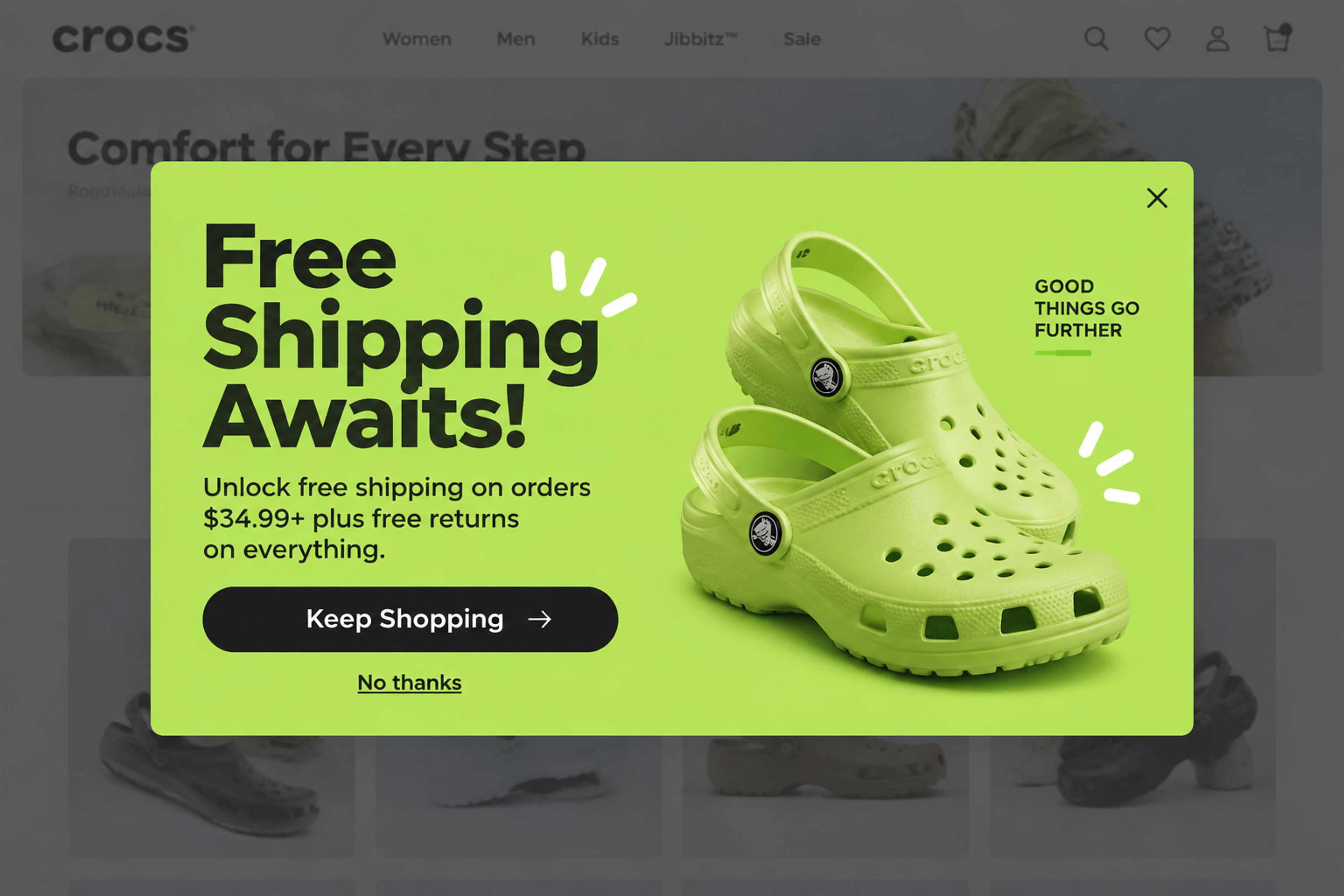
A big headline on a block of the brand's color: orders over $34.99 ship free, returns are free too. No photo, no form, one button back to shopping. It suits visitors with a cart just under the threshold.
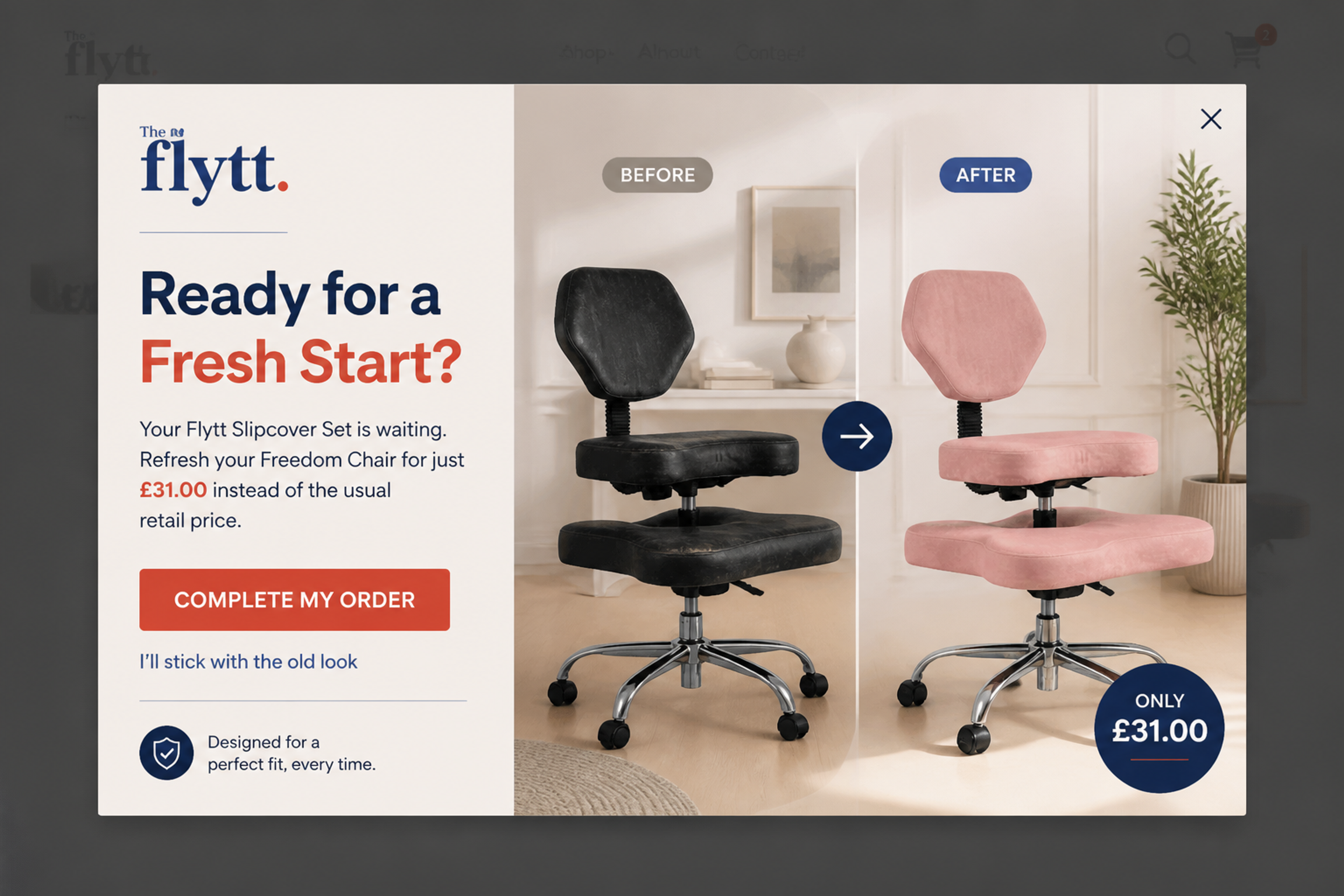
A cart reminder that shows the product the shopper left behind, its price and a single button back to the order. No discount: the product photo does the persuading. Show it only when the cart is not empty.
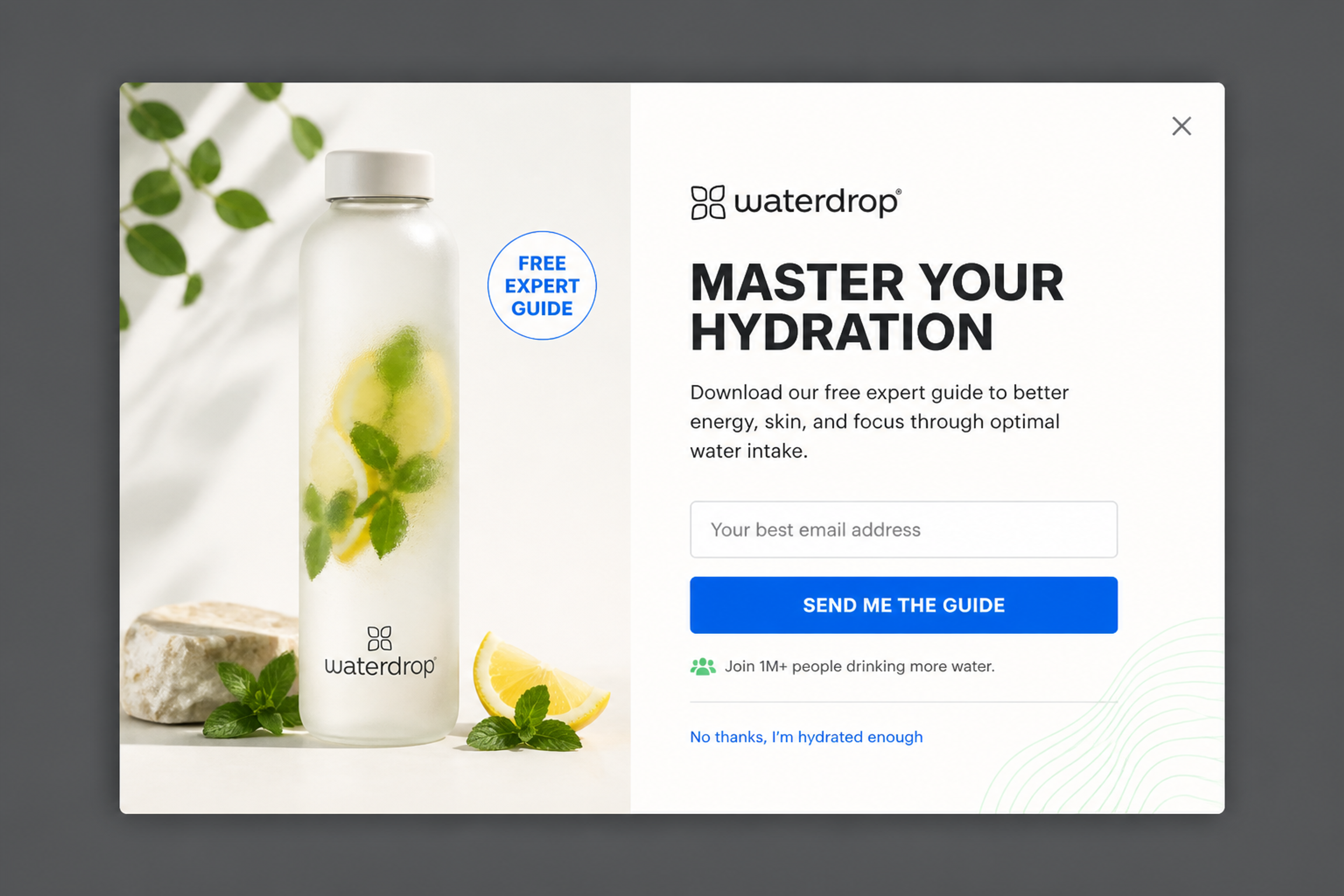
A free hydration guide for an email address, laid out like a magazine page. A lead magnet works for brands that don't want to discount, and it brings in subscribers who care about the topic.
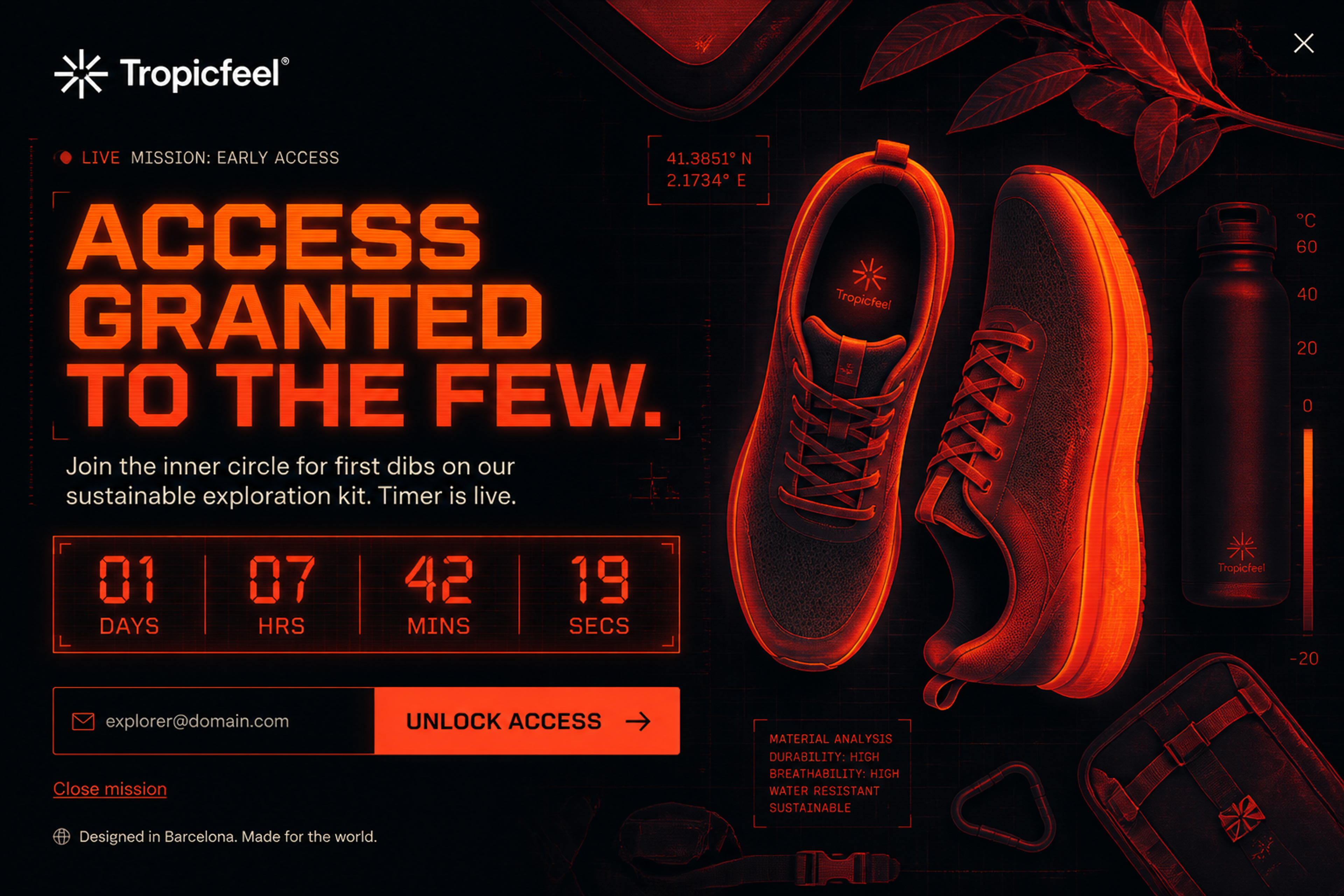
A fullscreen early-access signup with a live countdown, in a dark "night vision" look. It turns leaving visitors into a waiting list for a launch. Use a timer only when the deadline is real.
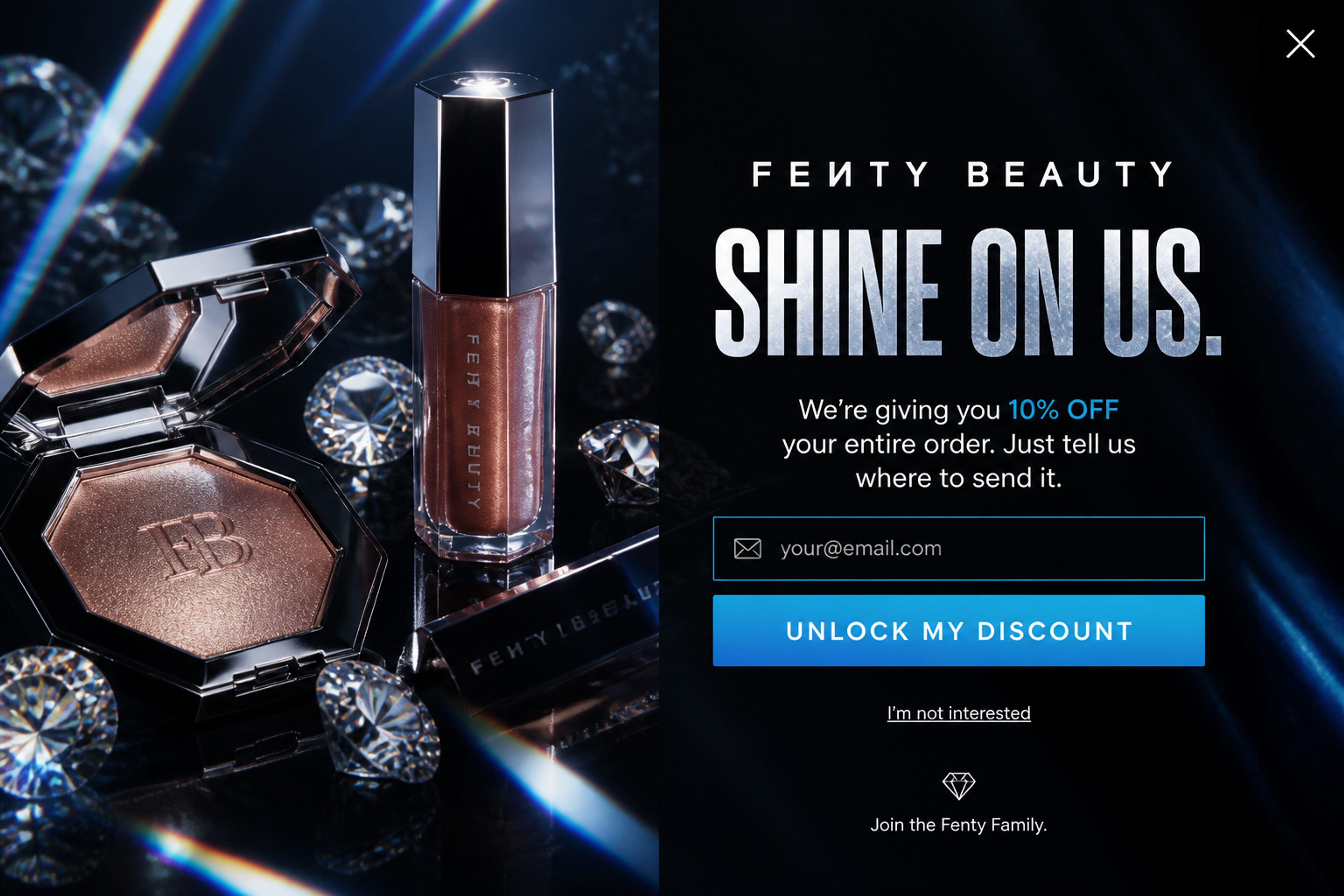
A fullscreen scene from the latest collection with 10% off the whole order for an email address. A bold, on-brand image makes the last moment feel like part of the store, not an interruption.
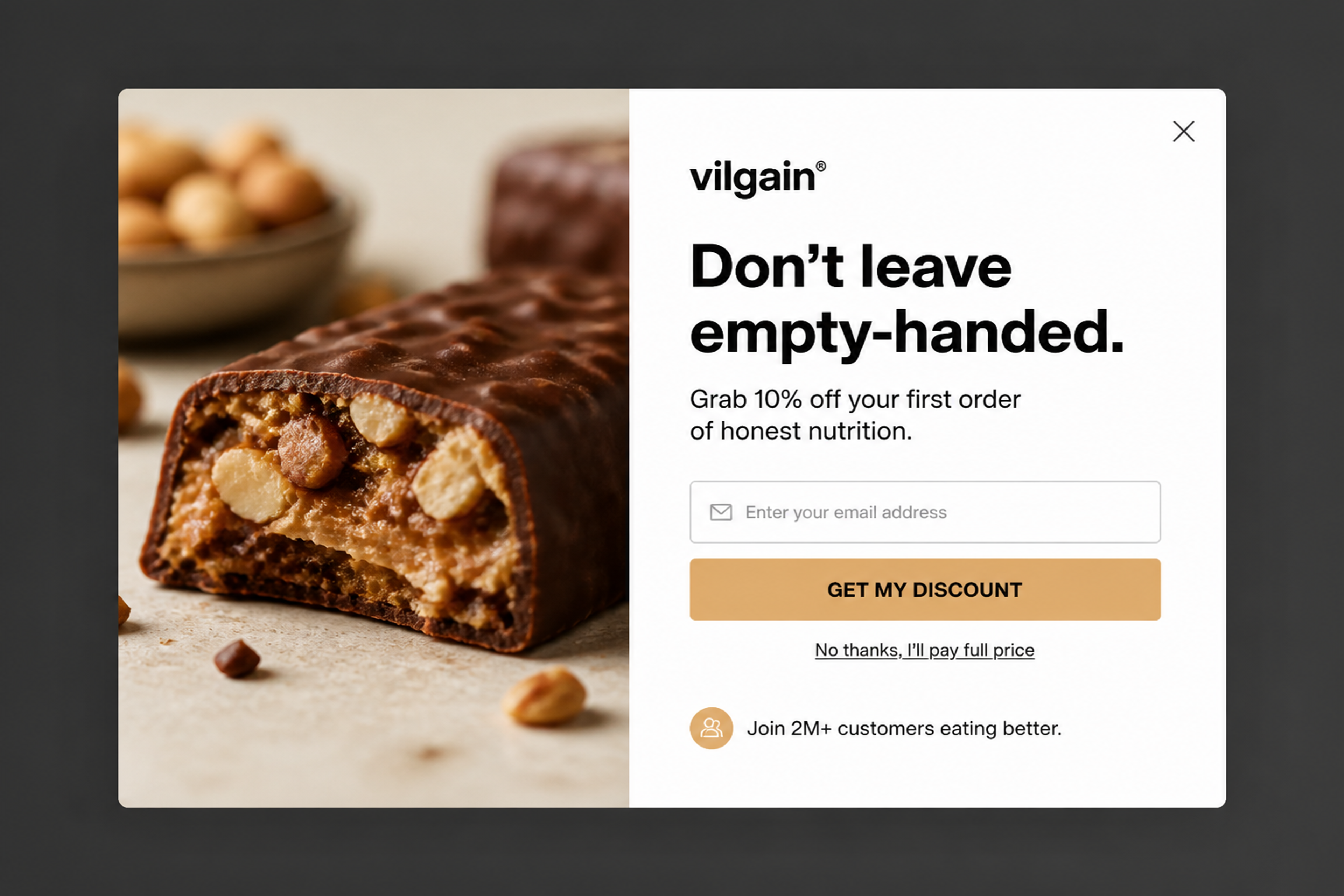
A split card: a close-up of the product on one side, 10% off the first order and one email field on the other. The "no thanks" link sits right under the button, so closing it is easy.
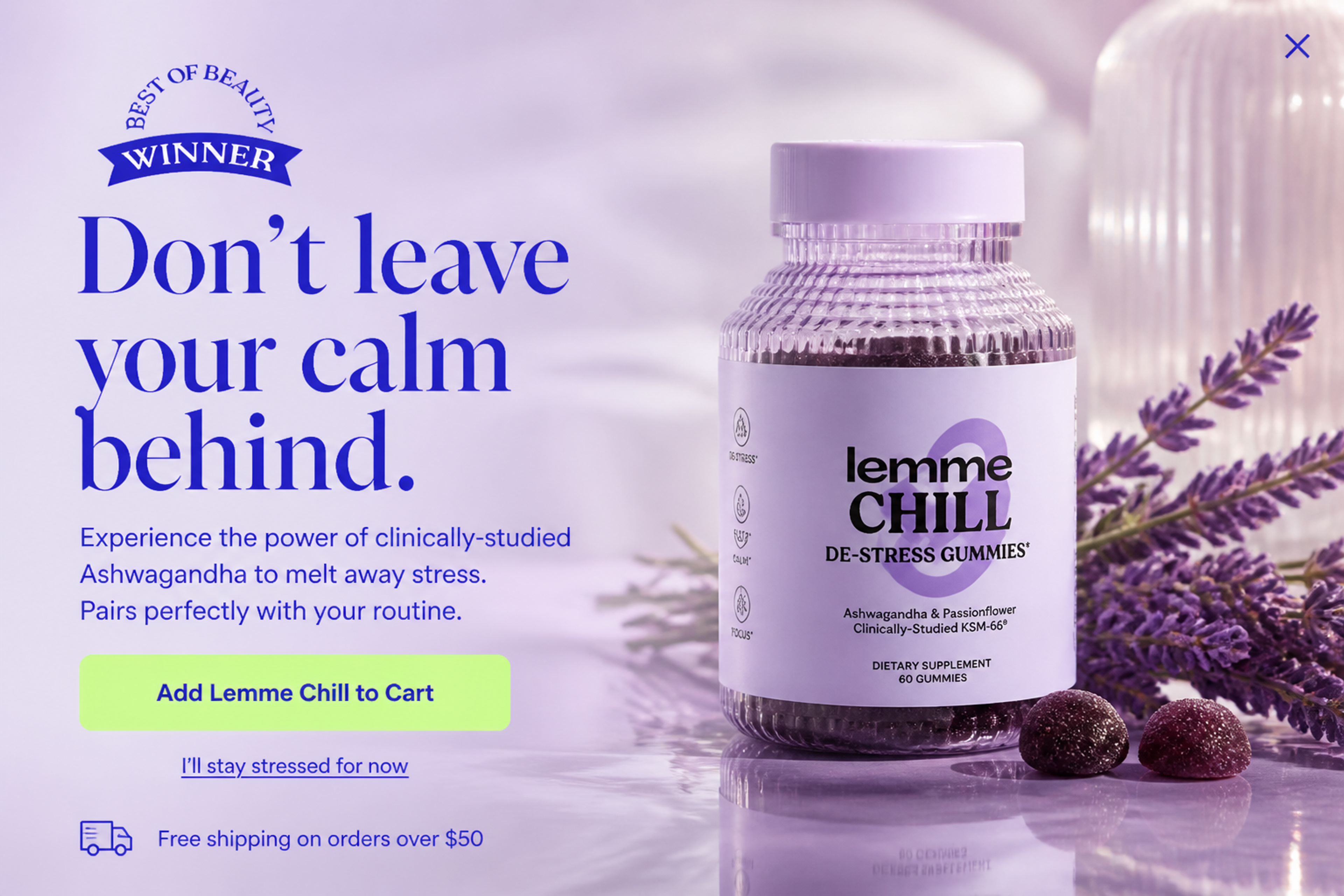
No form at all: the popup shows one best-selling product with an Add to cart button and a free-shipping line. It works as an upsell for visitors who browsed but didn't add anything.
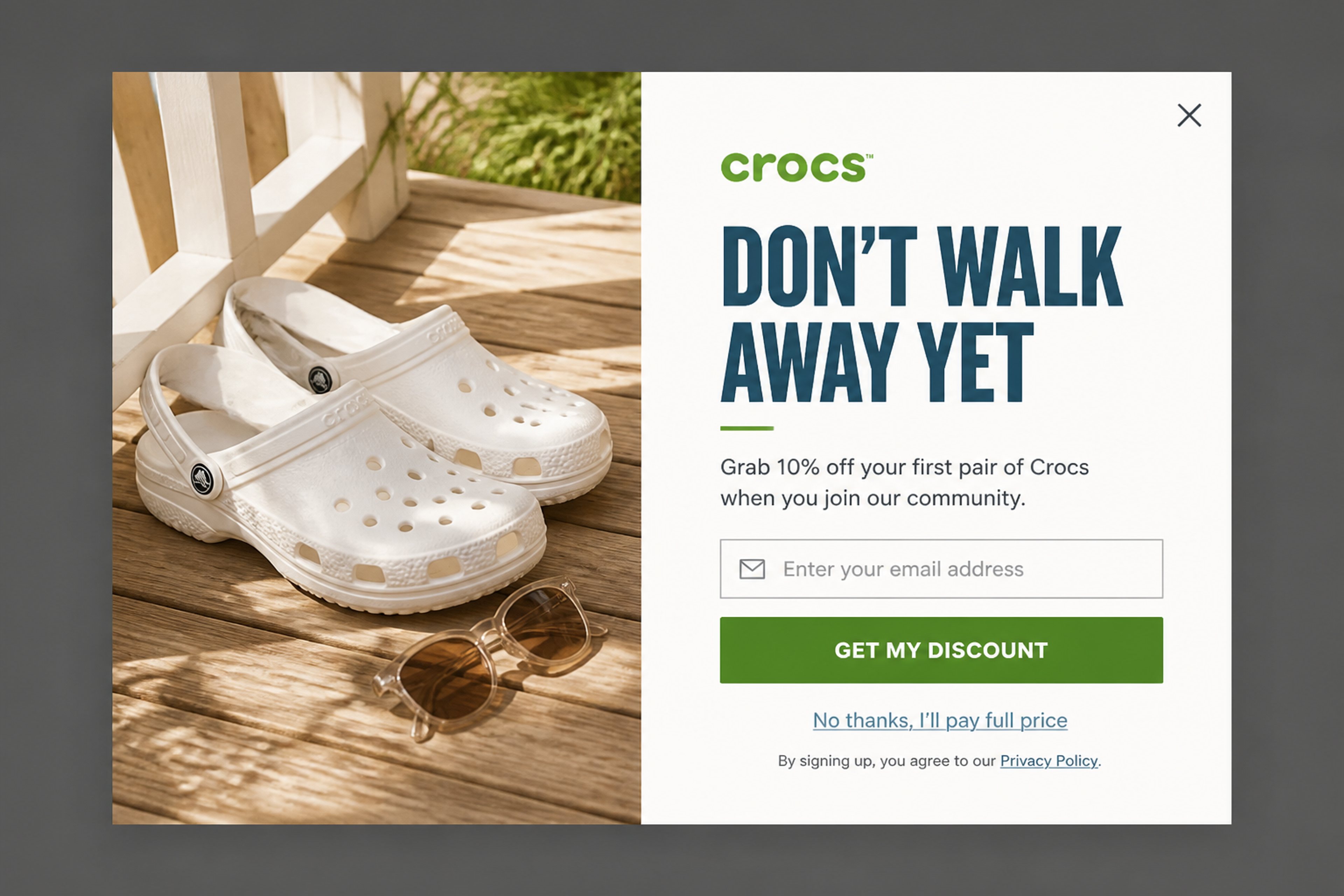
A lifestyle photo next to a short newsletter offer: 10% off the first pair for joining. The friendly tone matches the brand, and there's a clear way to say no.
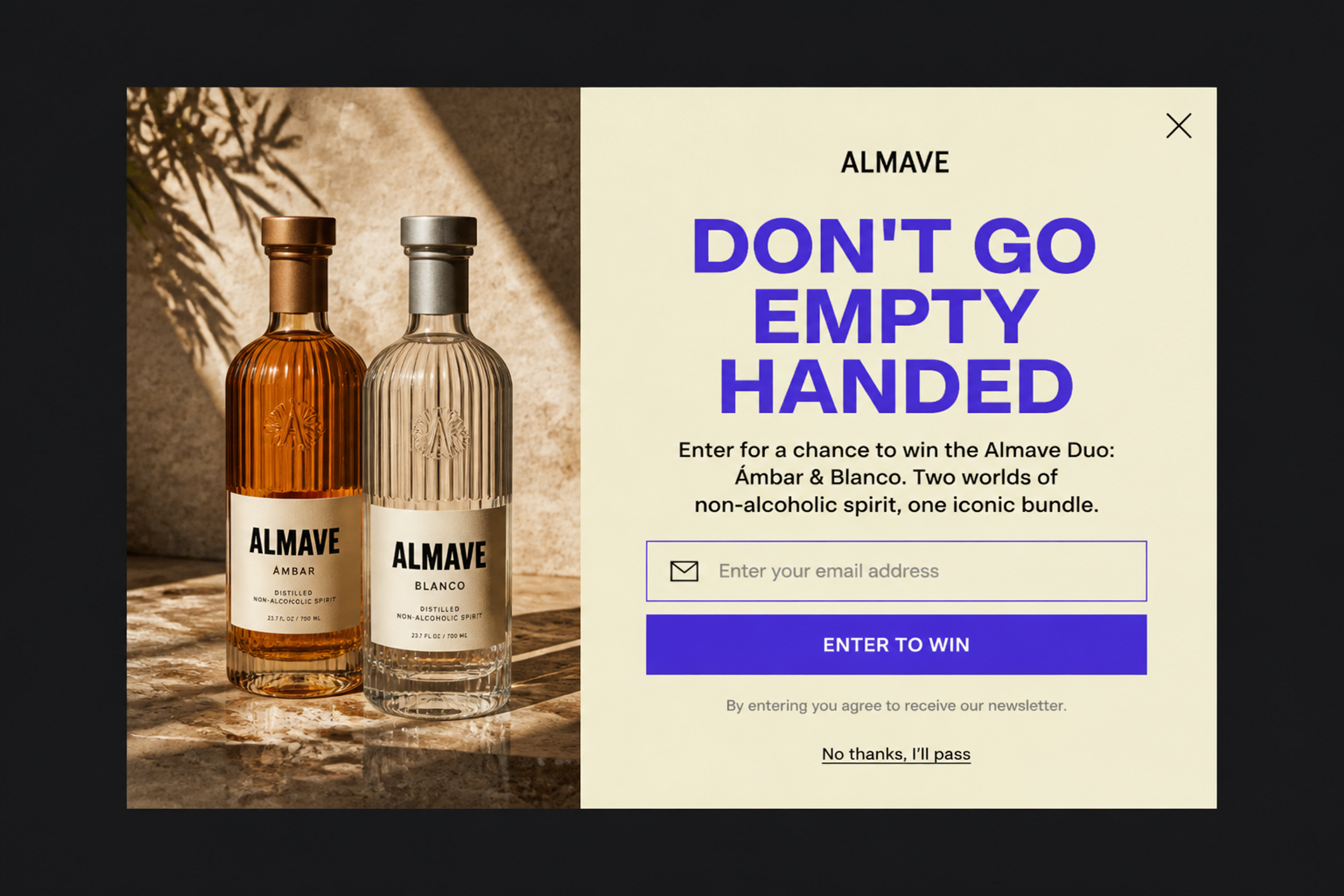
A giveaway instead of a discount: leaving visitors can enter to win the brand's two-bottle bundle with a single email field. It brings in subscribers without cutting your margin, and "No thanks, I'll pass" keeps the exit polite.
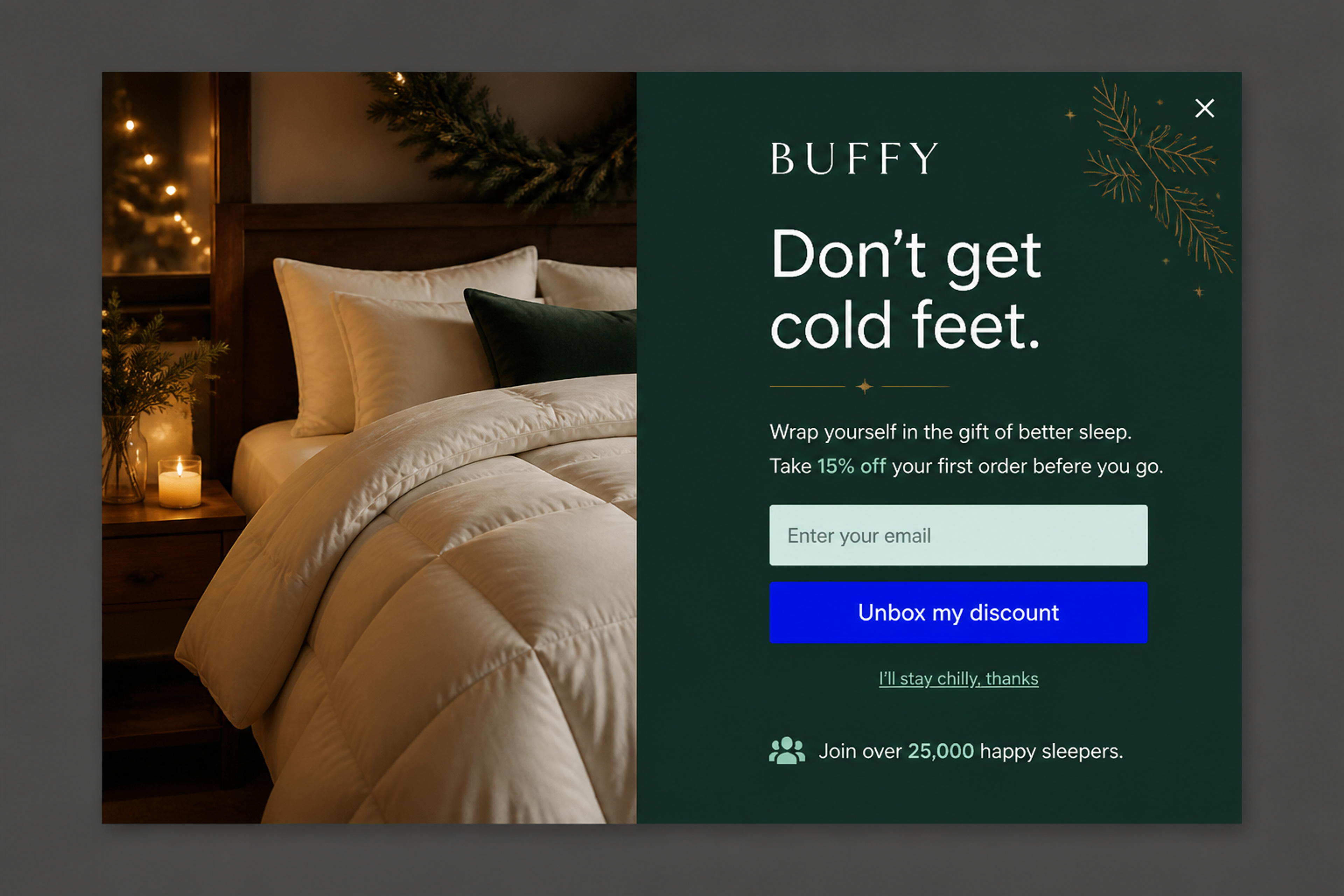
A seasonal exit popup for the gift-buying weeks: "Don't get cold feet." next to a cosy bedroom photo, with 15% off the first order. A short line of social proof under the button reassures first-time buyers.
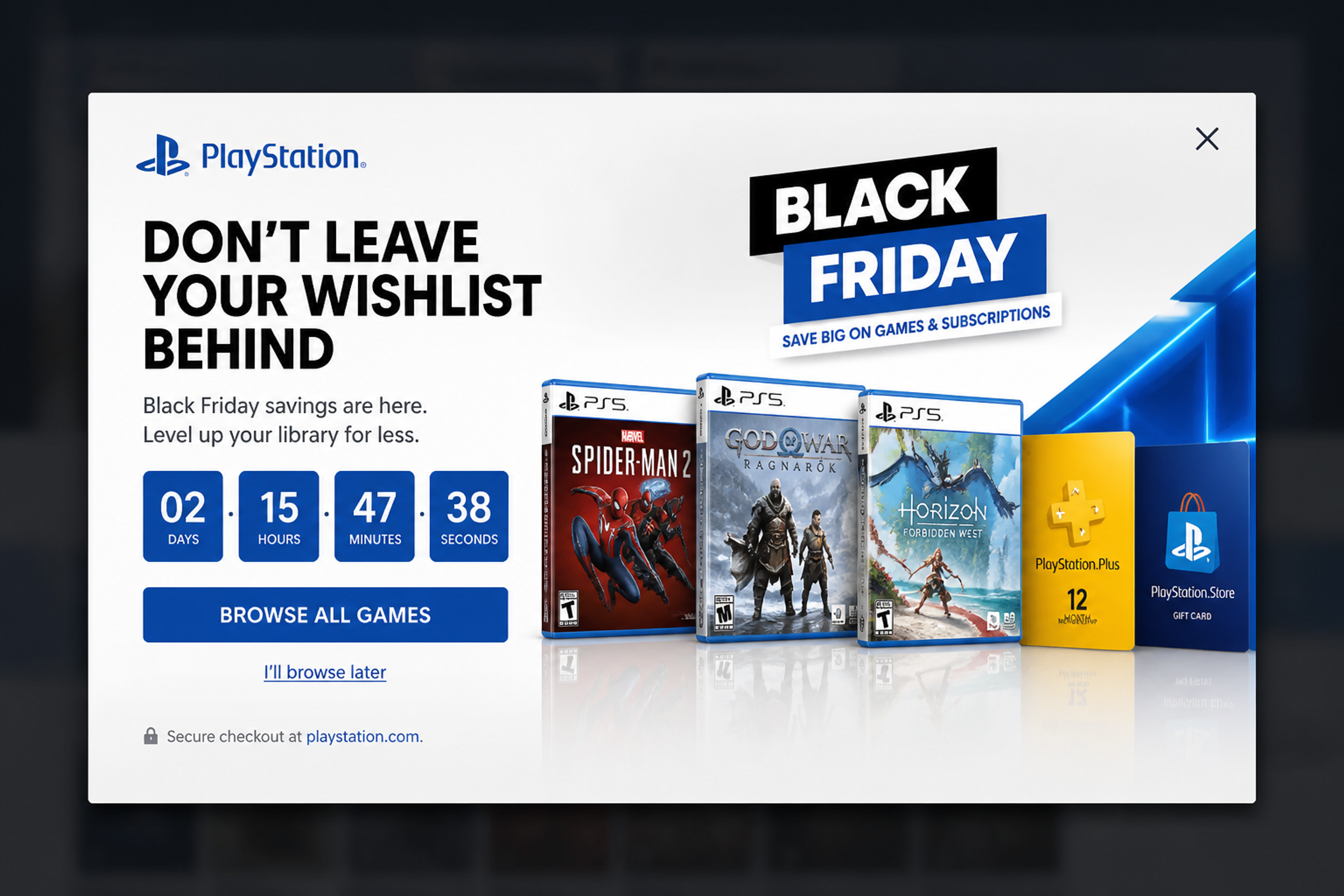
A Black Friday wishlist reminder: the headline points at what the visitor saved, a countdown shows when the deal ends, and the only button takes them back to browse. No form needed.
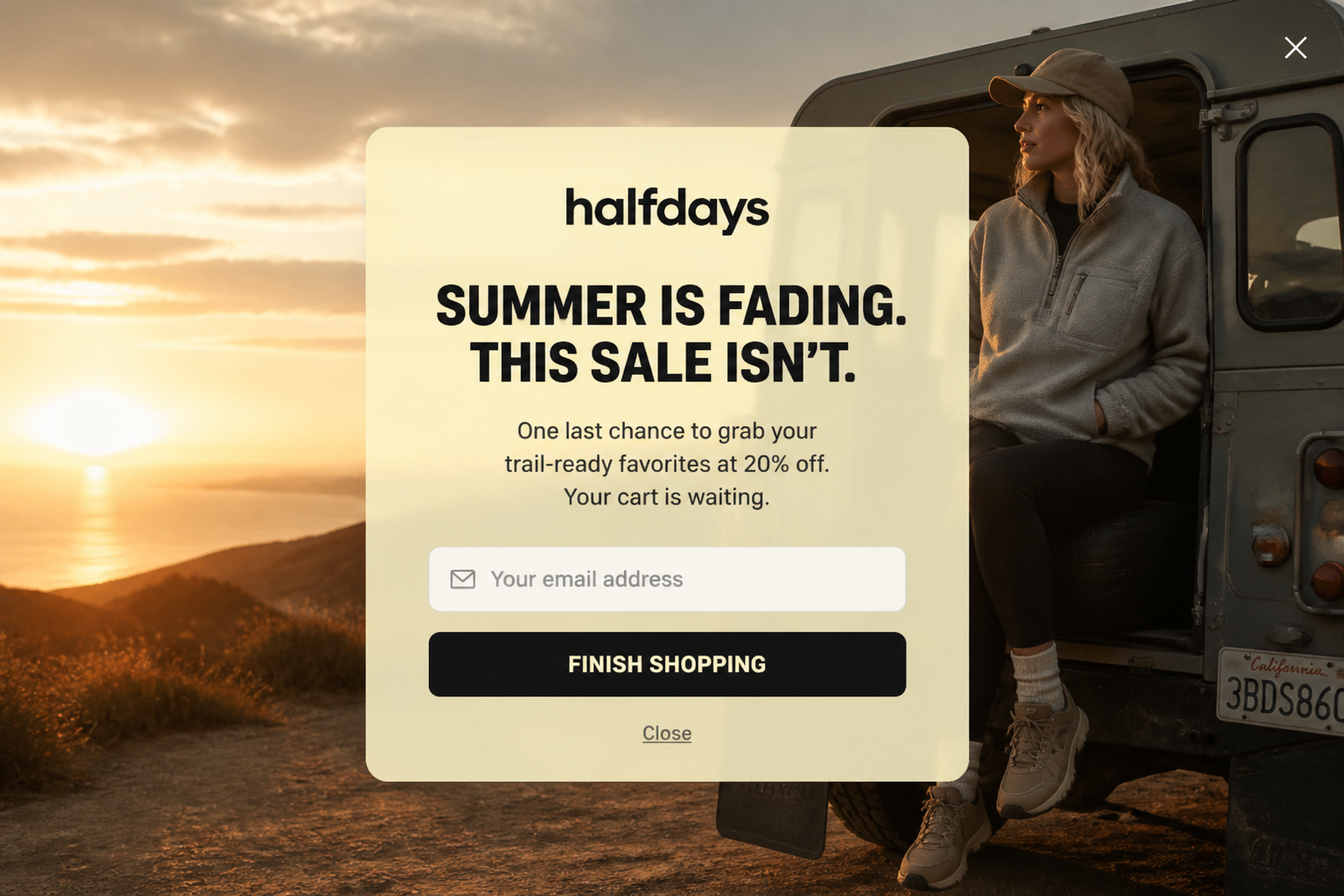
An end-of-season cart saver: "Summer is fading. This sale isn't." reminds visitors that their cart is waiting and that 20% off still applies, over a warm outdoor photo.
Browse more exit reminder popups in the Popup Library.
You need a free OptiMonk account and about ten minutes. No coding required.
Start a new campaign and tell the agent what you want, for example: "an exit-intent popup with 10% off for first-time visitors". Say the goal, the offer and who it's for. The agent may ask a few questions about your store and your offer.
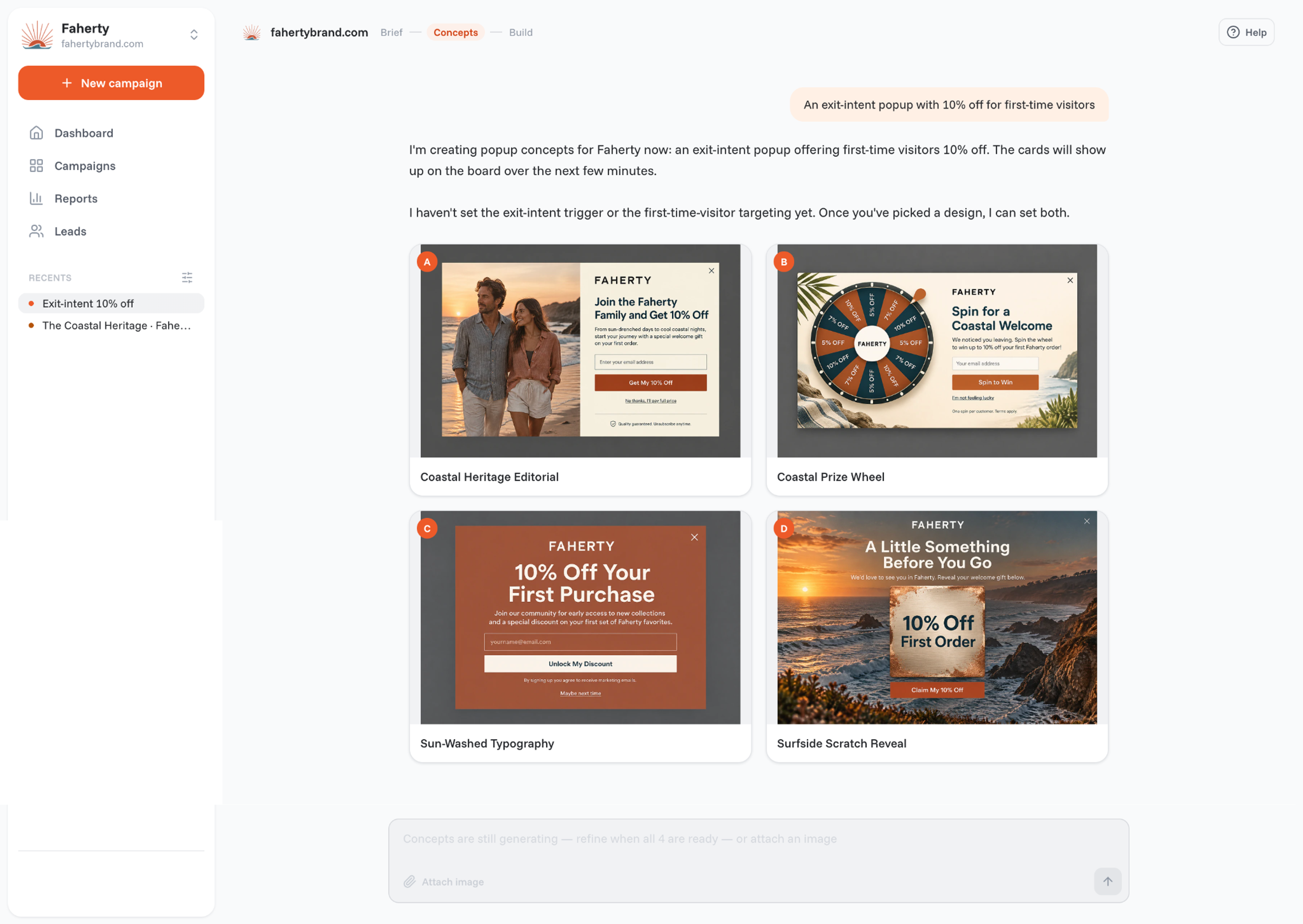
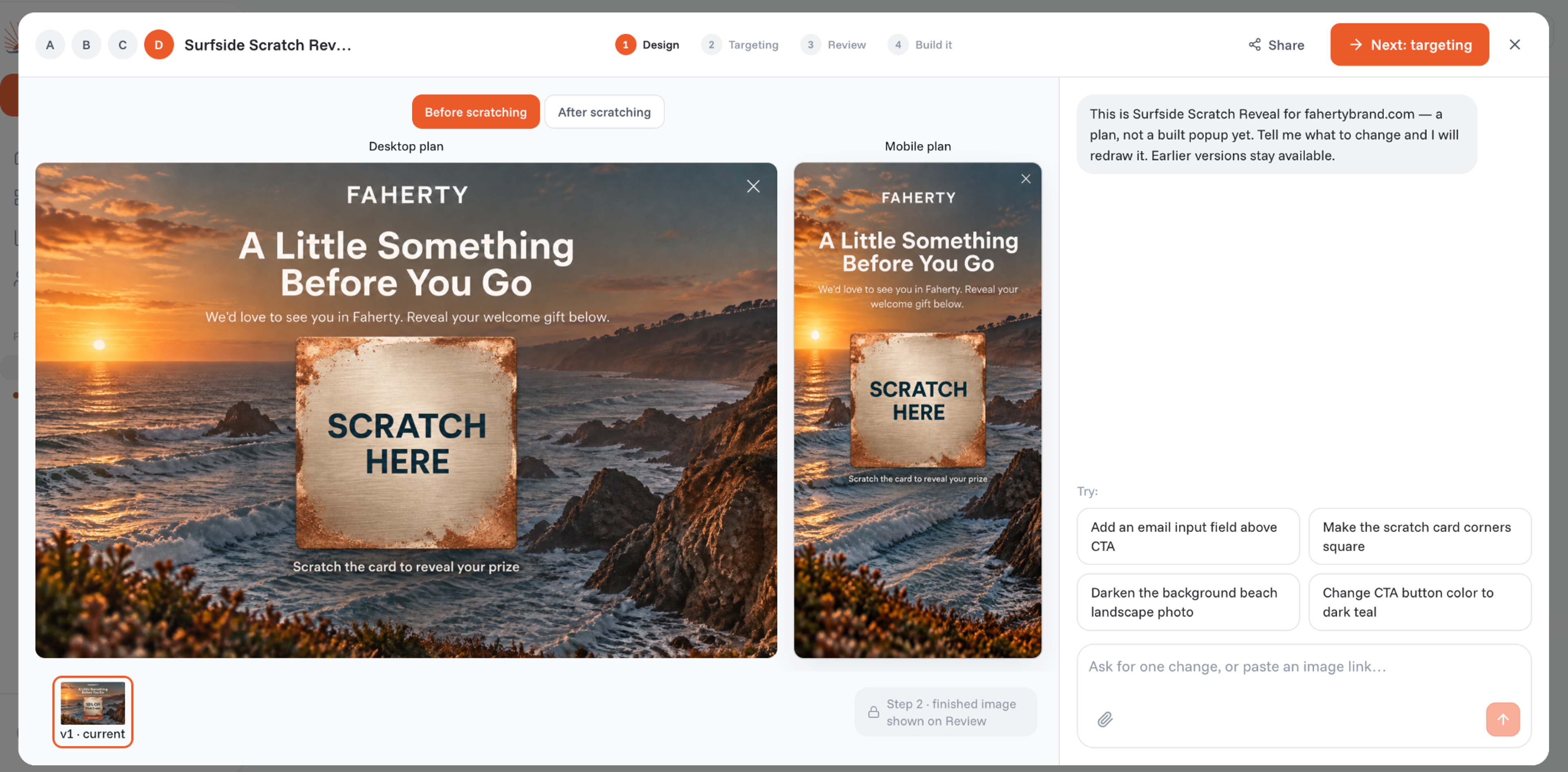
The agent draws four concepts in your brand's colors, fonts and logo. Pick the one you like, then ask for any change in plain words: "make the headline shorter", "use a product photo", "add a countdown". It builds a separate mobile version too, so check the phone view before you move on.
If you asked for an exit-intent popup, the agent has already set the trigger, but you can change it in the Targeting step. Go to "When will the popup show up", and on the On exit-intent card switch Desktop and Mobile on or off.
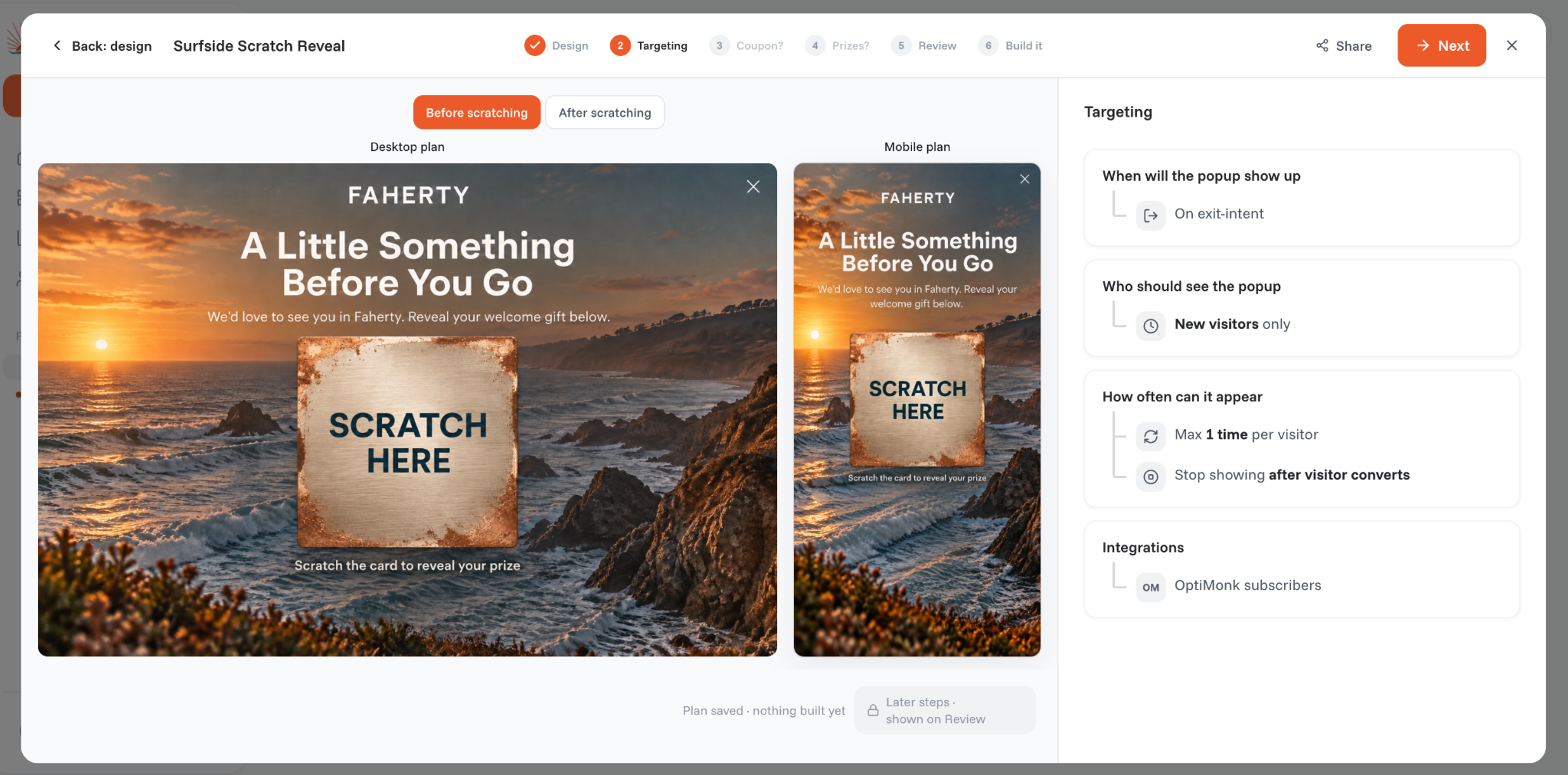
Narrow the audience so the popup only reaches the people it's for:
Then connect your email or SMS tool, so new subscribers land in the right list. If you use Klaviyo, you can also target Klaviyo lists and segments. Other options include Mailchimp and Google Analytics.
Save the campaign and publish it: nothing reaches your visitors until you do. Then let the agent run an A/B test on the copy, the offer or the whole design, and roll out the winner.
You can also build the same popup from Claude or ChatGPT, through the OptiMonk MCP connection, without opening OptiMonk.
Shopify has no built-in exit-intent popup, so you add one with an app. With OptiMonk, the steps are the same as above, plus two Shopify-only extras: discount codes and auto-apply at checkout.
On Shopify, an exit-intent popup is most useful for three jobs: saving full carts, growing the email list from first-time visitors, and asking leaving visitors what stopped them.
If you run email in Klaviyo, Klaviyo exit intent works best when the two tools talk to each other. Send new popup subscribers to a Klaviyo list, and target the popup at Klaviyo lists and segments, so existing subscribers see a cart reminder instead of a signup offer.
On a phone, the screen is small and visitors move fast, so a desktop popup squeezed onto mobile rarely works. OptiMonk builds a separate mobile version of every popup, so you can tune it apart from desktop. A few rules for the mobile version:
Three popups from the Popup Library, shown as their mobile versions:
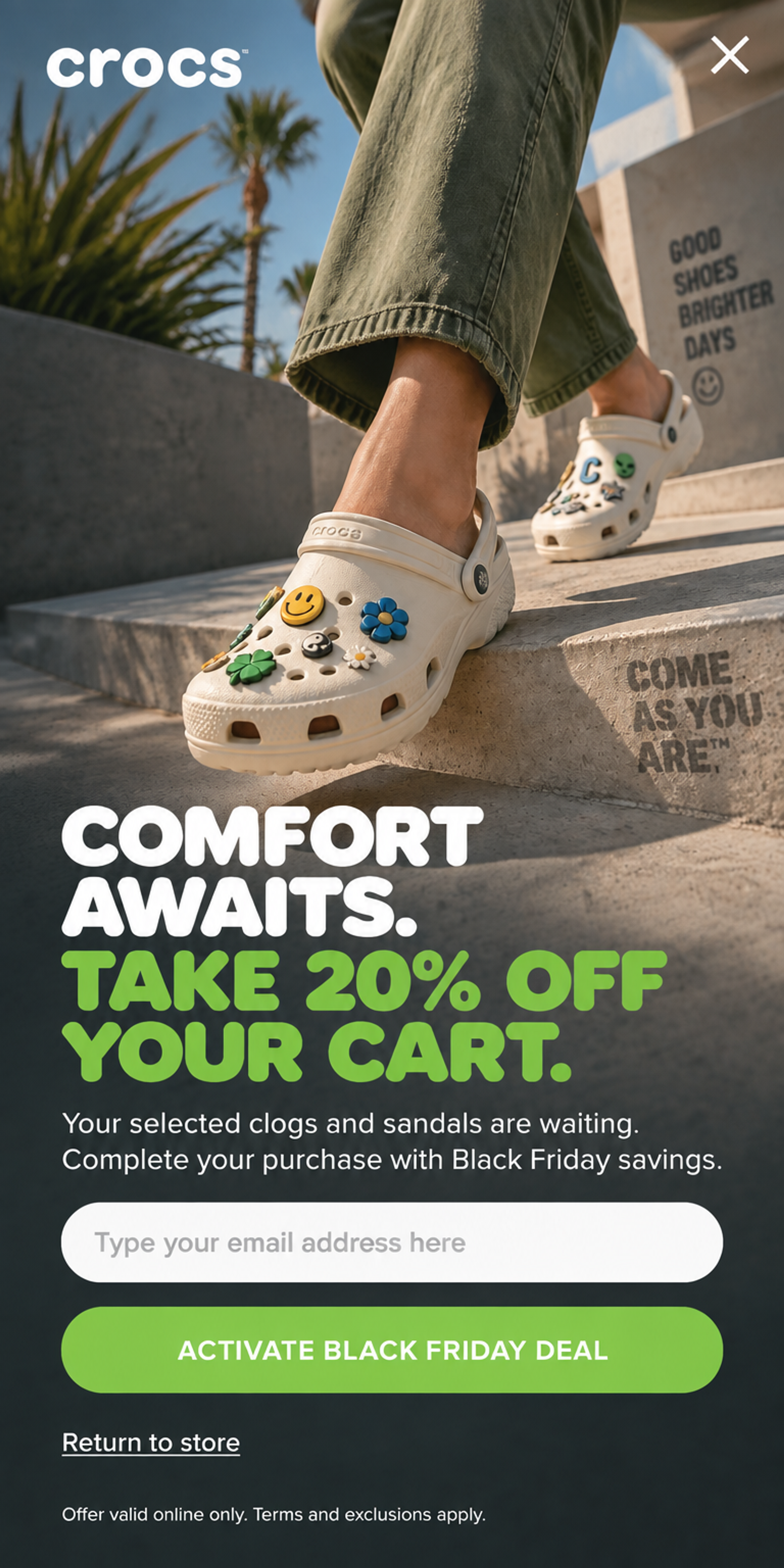
Designed for Crocs: on a phone the cart offer takes the full screen. The photo sits on top, then a short headline with 20% off the cart, one email field and a full-width button, with "Return to store" right below. See this popup
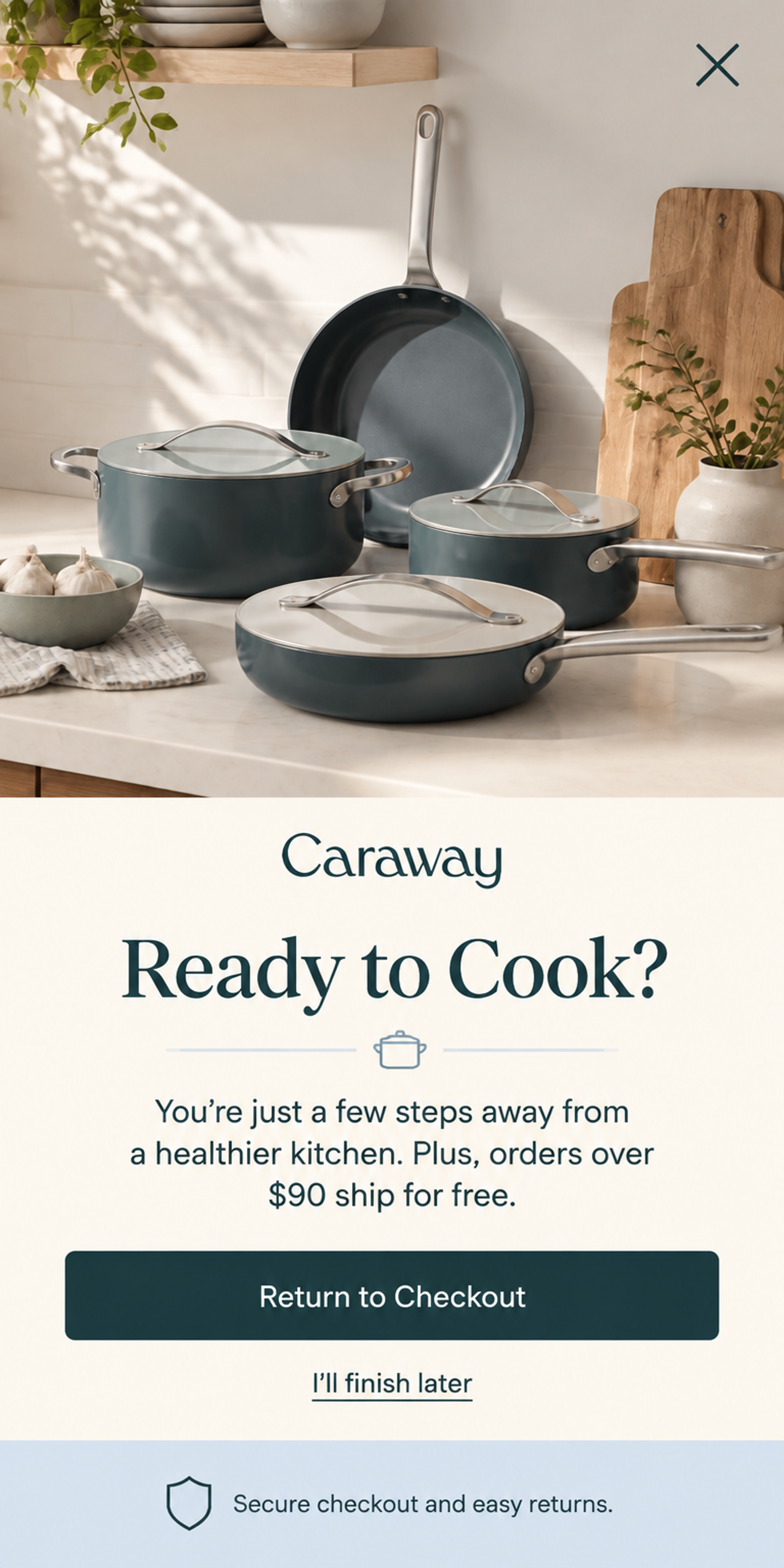
Designed for Caraway: a cart reminder with the product photo on top and the copy below: "Ready to Cook?", the free-shipping threshold and one big "Return to Checkout" button, with "I'll finish later" as the way out. See this popup
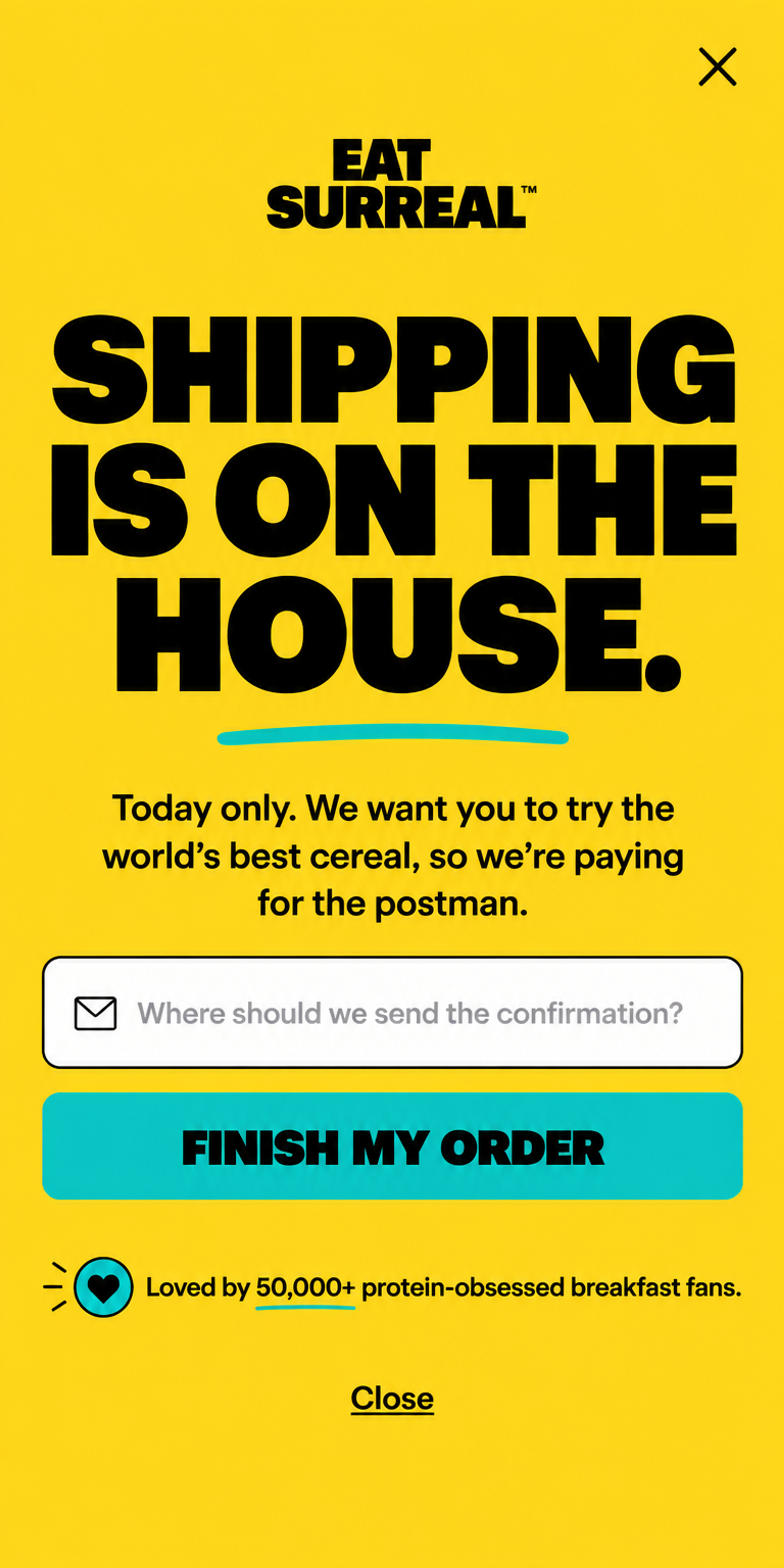
Designed for Surreal: no photo at all. A huge headline that reads at a glance, one field, one wide button and a plain "Close" link. Type-only popups stay readable on a small screen. See this popup
A visitor on the way out reads one line, not a menu. Pick a single offer and a single call to action, and cut everything that competes with it: extra links, a second offer, a list of benefits.
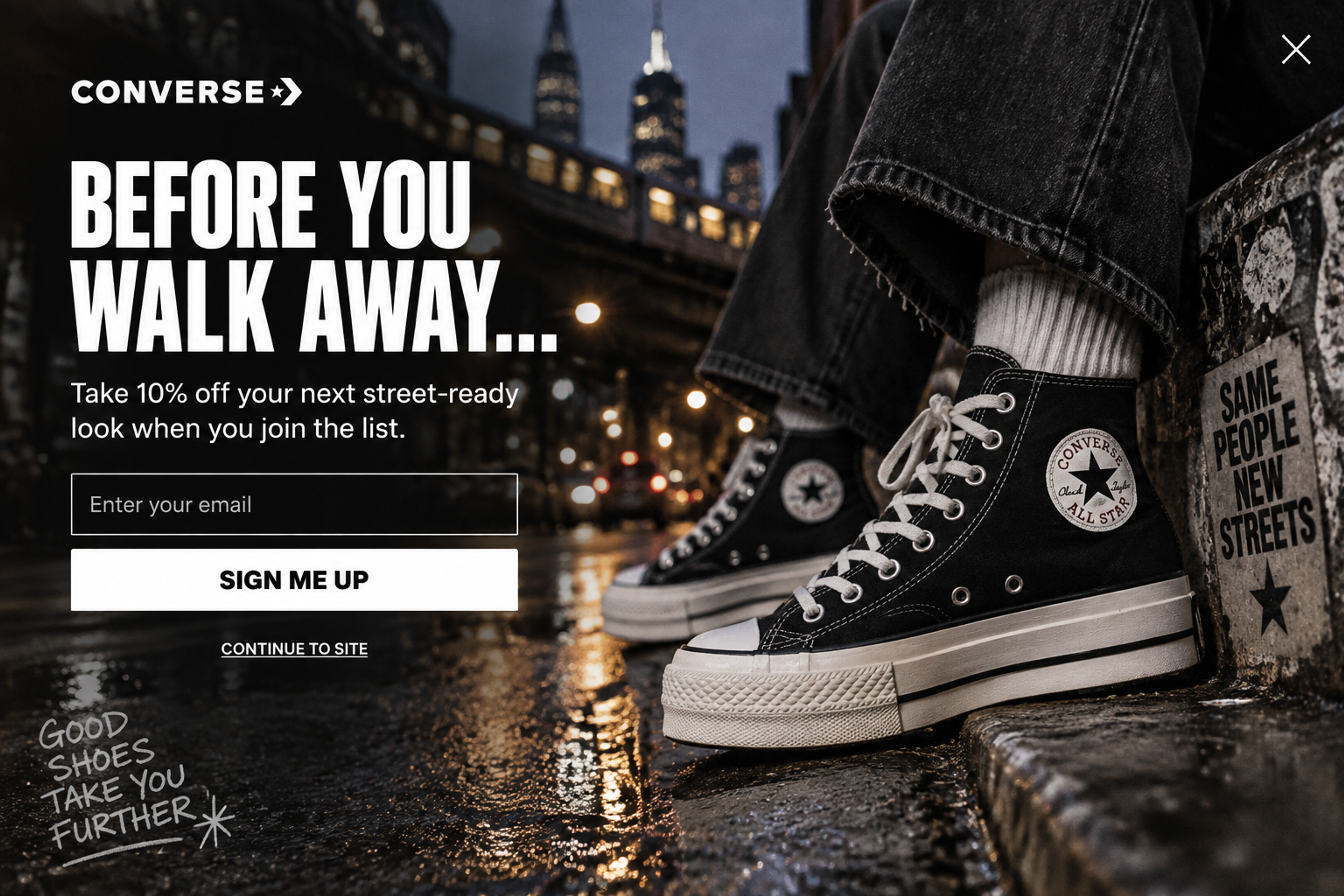
Example, designed for Converse: one headline, 10% off for joining the list, one email field and one "Sign me up" button. "Continue to site" is the only other link. See this popup
Headlines like "Wait, before you go" or "Your cart is saved" tell the visitor why the popup appeared. Then state the offer in plain words, so they understand it before they move the mouse again.
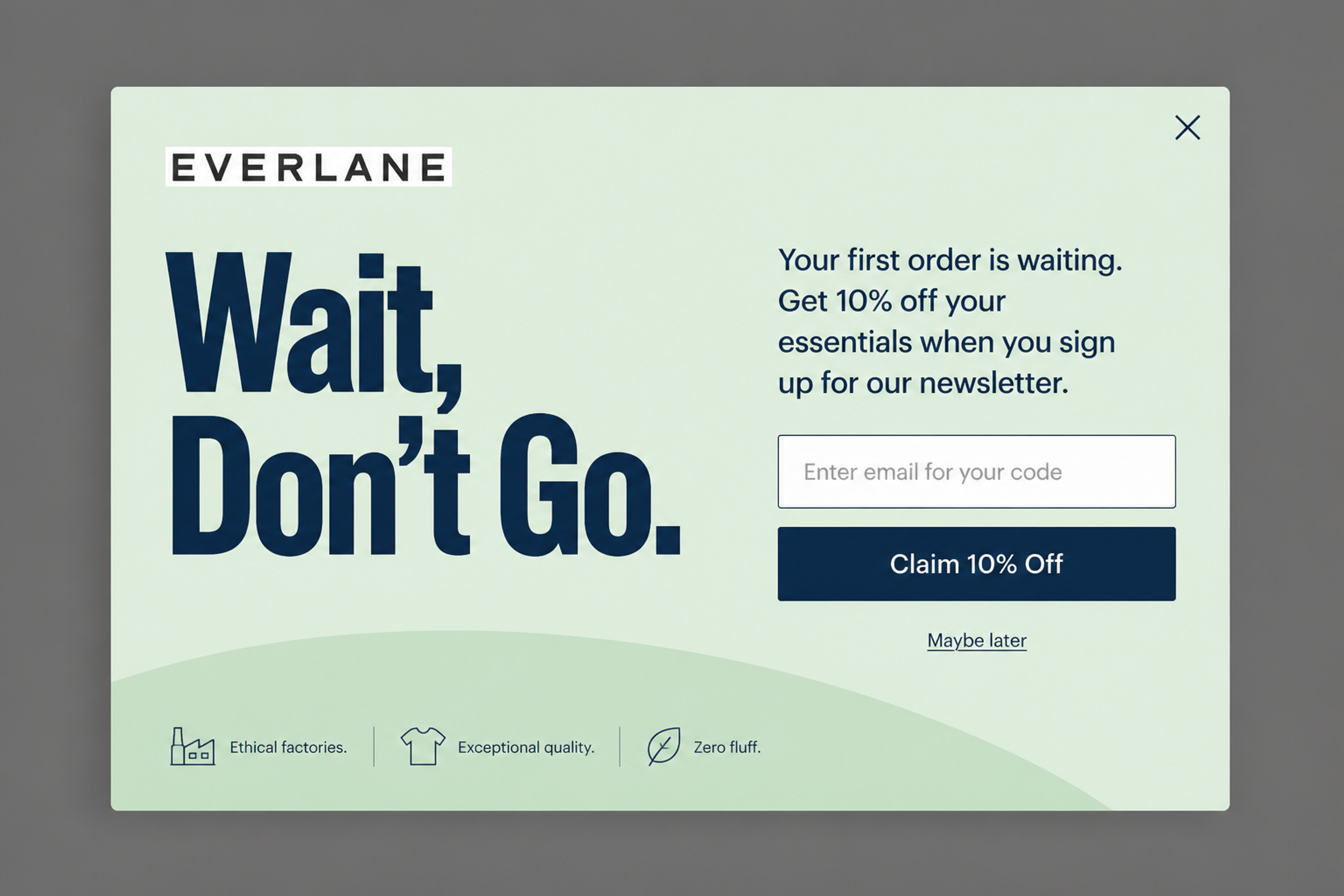
Example, designed for Everlane: "Wait, Don't Go." in big type, then the offer in one sentence: 10% off the first order for signing up. See this popup
A clear close button and a polite decline link keep the experience friendly. Never hide or delay the way out, and keep the wording neutral: "No thanks, I'm still browsing" reads better than a line that makes the visitor feel guilty.
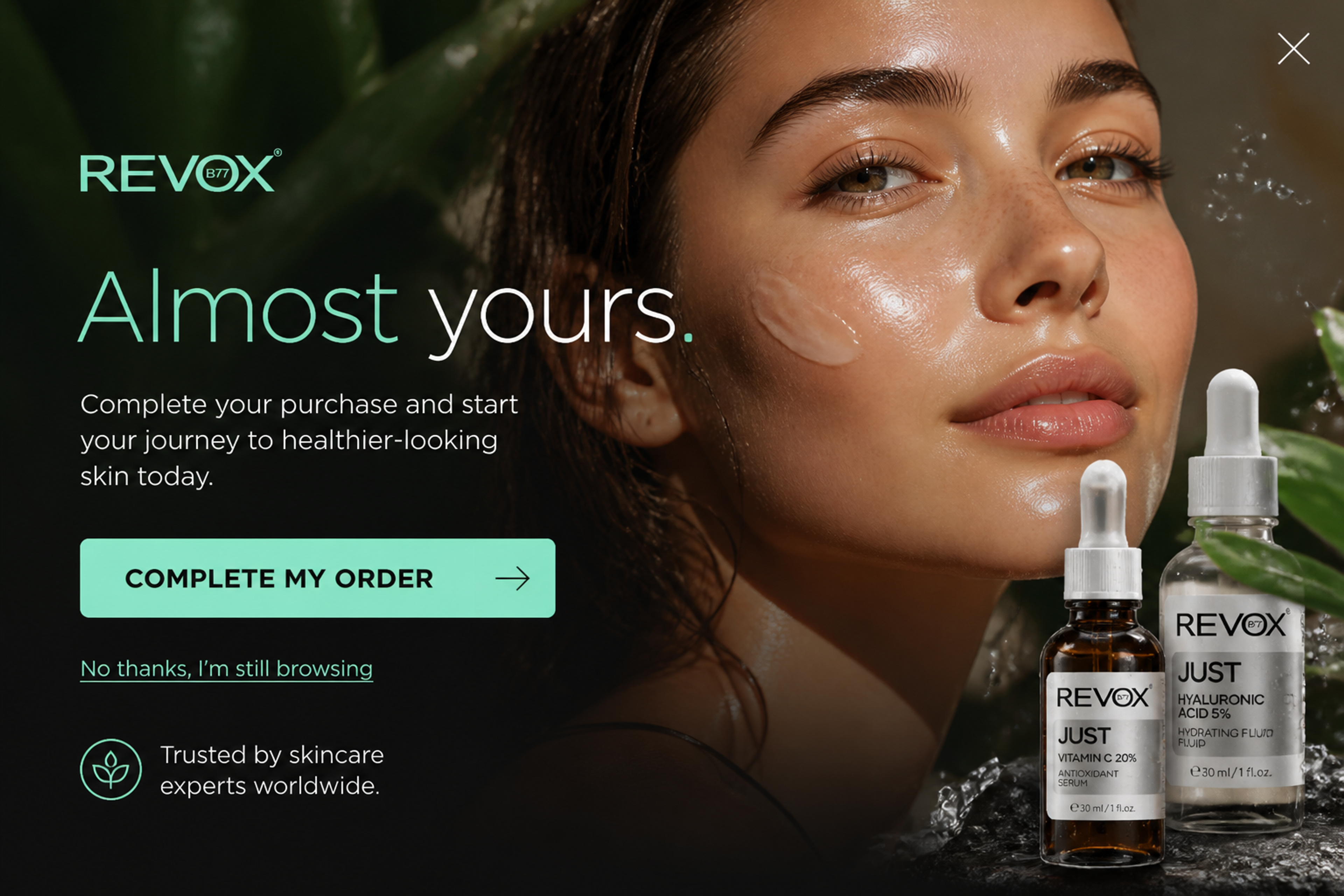
Example, designed for Revox: the cart reminder ends with "No thanks, I'm still browsing", right under the main button. See this popup
Use a frequency limit, and exclude subscribers and recent buyers: a popup they've already answered only gets in the way. Match the offer to what the visitor did, so a cart reminder only reaches people with something in the cart.
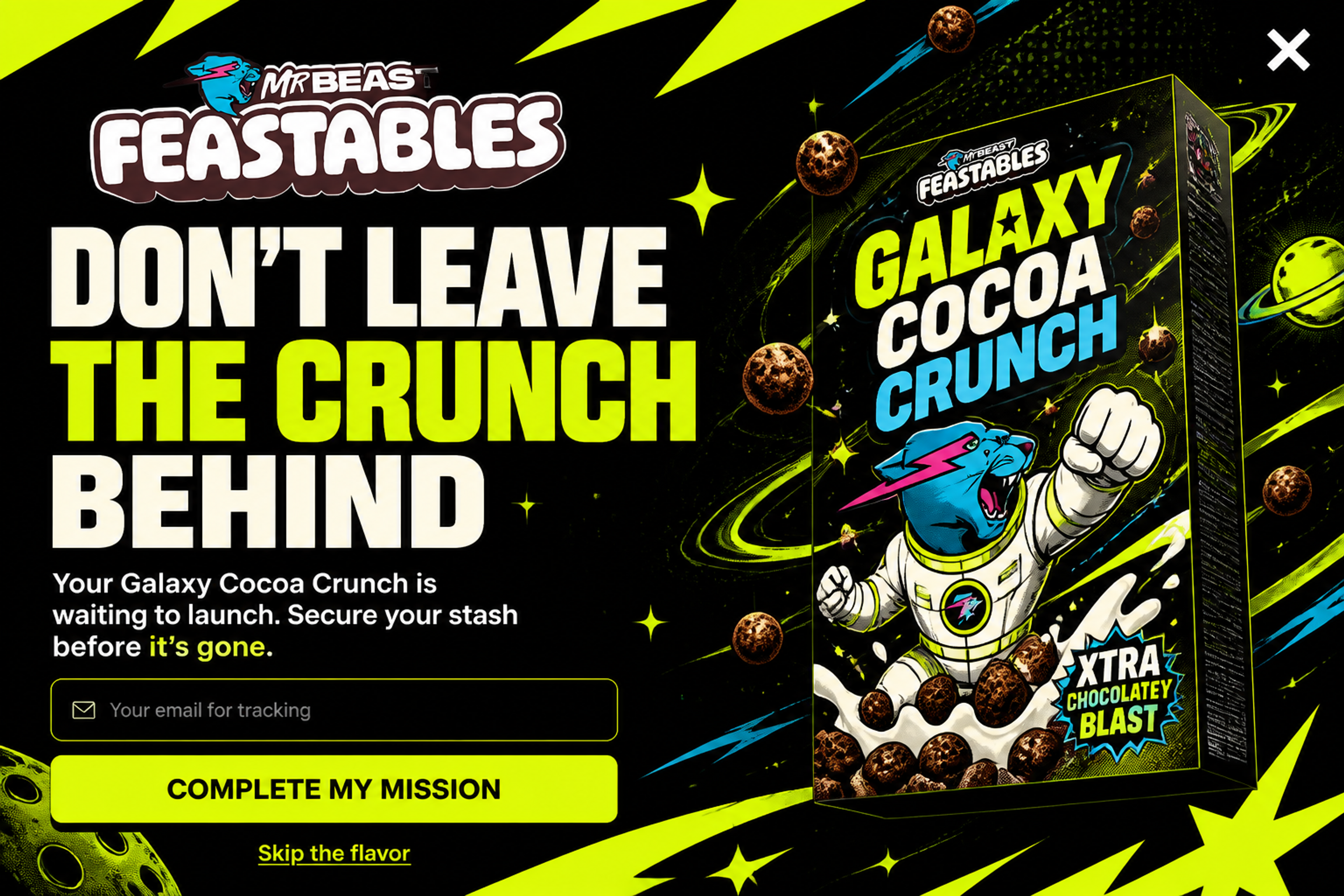
Example, designed for Feastables: the popup names the product waiting in the cart, so it only makes sense for visitors who added it. See this popup
A timer works when the sale or the offer really ends. A fake one costs trust, and shoppers notice when the same "last chance" comes back the next day.
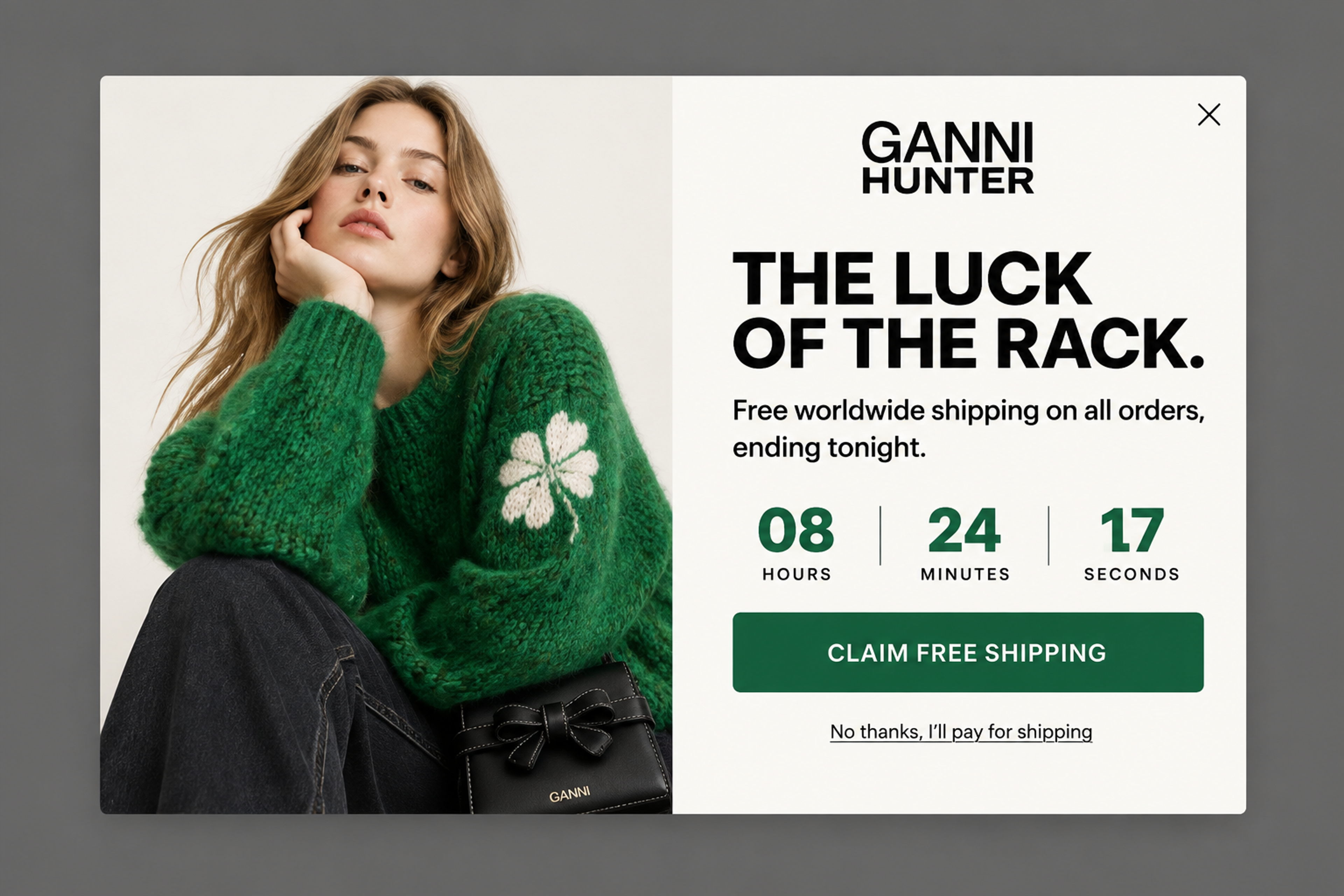
Example, designed for GANNI: free worldwide shipping "ending tonight", with a timer that counts down to the real end of the offer. See this popup
Check the mobile version on its own: short copy, big buttons, fast to load. The mobile examples above show what that looks like.
Test a discount against free shipping, or two headlines, and keep the winner. You can also test two designs of the same offer.
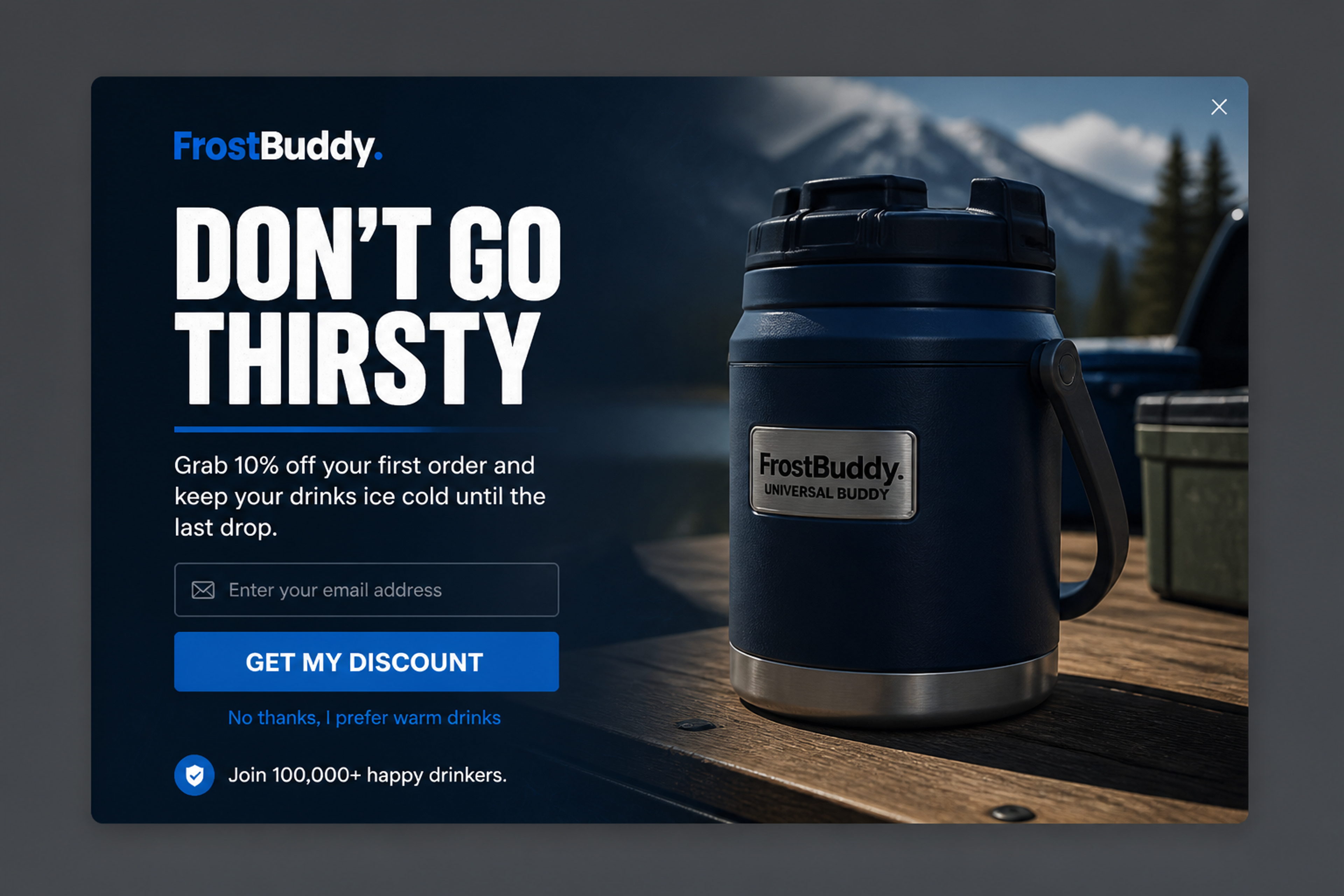
Example, designed for Frost Buddy: the agent drew two designs with the same 10% offer, this compact card and a fullscreen version. Running both as an A/B test shows which one your visitors answer. See the card and the fullscreen version.
For more ways to use the trigger, see exit intent popups for online stores.
Most exit popup software can show a popup when a visitor leaves. For an online store, check these points before you choose an exit popup creator:
On WordPress? See our list of exit intent popup plugins for WordPress.
Comparing tools? Start with these OptinMonster alternatives.
On desktop, the popup fires when the cursor moves into the top 10 pixels of the browser window, toward the tabs, address bar or close button. On mobile, it fires on a tab switch, a quick scroll to the top, or the Back button on the landing page. In OptiMonk, ask the agent for an exit-intent popup, or write "Change trigger to exit intent" in the campaign chat.
Yes. Phones have no cursor, so exit intent reads other signals: switching tabs, a quick scroll to the top of the page, or the Back button on the page the visitor landed on. Some mobile browsers don't support every signal, so test on a real phone.
Not when they're easy to close. Google's guidance on intrusive interstitials warns against popups that cover the main content and make it hard to reach, especially on mobile. An exit-intent popup appears when the visitor is leaving rather than when they arrive, but keep it small on mobile and always give it a clear close button.
Usually once per visitor, and never again after they've signed up or bought. In OptiMonk, a new campaign starts at most once per visitor, at least one hour apart, and stops once the visitor converts. You can change all three.
Yes. Install the OptiMonk app, describe the popup in one sentence, and the agent designs it and sets the exit-intent trigger. OptiMonk can also create the discount code in Shopify and apply it at checkout automatically.
It depends on the offer and the audience: a cart offer to shoppers with a full cart converts very differently from a newsletter signup. As one published example, Kiss My Keto's exit-intent cart popup converted at 15.05%.
Your first exit-intent popup is one sentence away. Describe the offer and who should see it, and the agent designs it for your brand, sets the exit-intent trigger on desktop and mobile, and builds a separate phone version you can check before you publish.
Free to start. No credit card.


50 CTA button texts for online stores and popups, grouped by the shopper's moment, plus what makes a button worth clicking.

40 website welcome message examples for online stores, grouped by situation and industry, ready to copy into a welcome popup.
12 Christmas popup examples for online stores, from welcome offers and spin-to-win wheels to gift quizzes and last-chance countdowns.